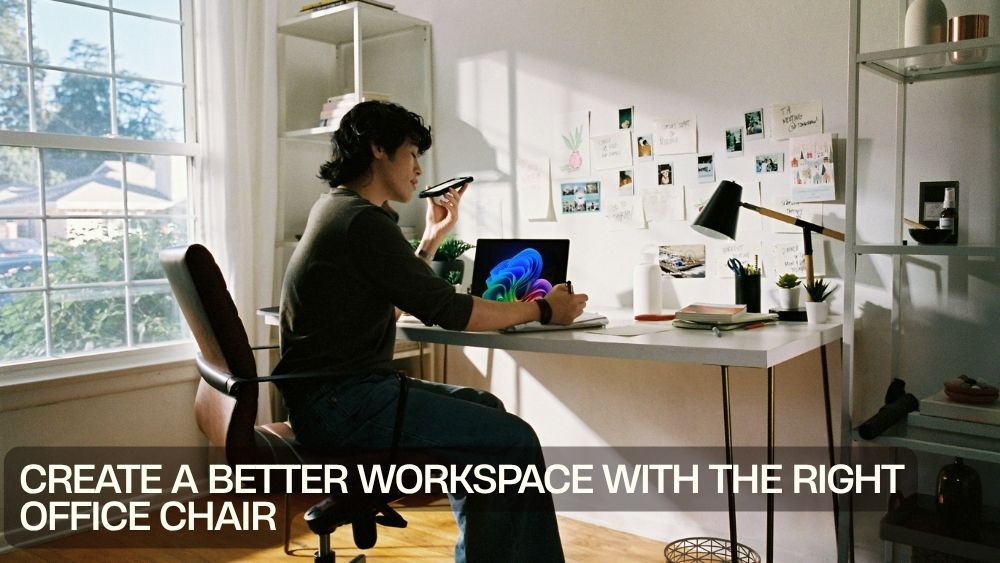
A better workspace does not always require a bigger desk, a complete office makeover, or a mountain of new accessories. Sometimes, the smartest upgrade is the chair you use every day.
Your office chair affects how you sit, move, focus, and interact with your desk. When the chair feels uncomfortable, even simple tasks can become distracting. When it provides the right combination of support, mobility, and adjustability, your workspace can feel noticeably easier to use.
The best office chairs for a better workspace should complement your desk rather than compete with it. They should provide comfortable support for your working routine while fitting naturally into the available space.
Whether you're designing a home office, upgrading a professional workstation, or refreshing a compact desk area, the right seating can become the foundation of a more functional environment.
Start With the Way You Work
Every workspace has its own rhythm.
Some people spend most of their day typing. Others move between paperwork, video calls, creative projects, and multiple screens. Remote workers may use the same desk for meetings in the morning and focused work in the afternoon.
Your chair should reflect that routine.
Comfortable office seating for productive work starts with understanding how much time you spend at your desk and how frequently you change positions.
If you work for long periods, prioritize support and adjustability. If you frequently move around your workstation, consider swivel functionality and smooth mobility. If your desk is part of a bedroom or living area, appearance may matter just as much as practicality.
The goal is not to create a perfect-looking office. It is to create a workspace that works.
Make Ergonomics Part of the Setup
Ergonomics is about creating a relationship between your body, chair, desk, and equipment.
Ergonomic chairs for organized workspaces can help create a more intentional sitting arrangement. A supportive backrest, suitable seat height, comfortable armrests, and appropriate lumbar support all contribute to a more considered workstation.
Ergonomic desk chairs with lumbar support are particularly worth considering if you regularly spend extended periods at your computer.
A mesh office chair with adaptive lumbar support, flip-up armrests, and a reclining backrest provides several practical features for a flexible workstation. Explore this ergonomic mesh office chair

The important thing is to use these features to create a setup that feels natural rather than relying on adjustability for its own sake.
Choose Support That Matches Your Routine
Not everyone needs the same level of seating support.
A casual desk user may be comfortable with a straightforward office chair, while someone who works remotely every weekday may need more substantial support.
Supportive office chairs for focused work should allow you to settle into a stable position while still giving you enough freedom to shift throughout the day.
Pay attention to the backrest, seat dimensions, cushioning, and overall structure. A chair that looks soft and luxurious may not necessarily provide the support you need.
Similarly, an extremely firm chair may not suit someone who spends many hours at the desk.
Finding the right balance is the real objective.
Use Adjustability to Personalize Your Workspace
Your chair should adapt to you.
Adjustable chairs for personalized workspace comfort allow you to change the relationship between your body and your desk. Seat height is especially important because desks are not designed around every individual body type.
Useful features may include:
- Adjustable seat height
- Reclining backrest
- Adjustable lumbar support
- Movable armrests
- Rocking or tilting functions
- Swivel mobility
The best adjustment system is one you actually use. Take a few moments to set your chair correctly instead of leaving every mechanism at its default position.
A personalized chair can make your entire workstation feel more intentional.
Give Your Back a Better Working Environment
Long periods of sitting can make back support particularly important.
Office chairs for long working hours should provide a supportive backrest without making you feel locked into one rigid position. The ability to recline or change your posture can add useful flexibility.
For users who prefer a more substantial chair, a 400-pound-capacity high-back executive model provides a larger frame and ergonomic leather design. See this big-and-tall ergonomic executive chair

When choosing a chair, consider your body size, preferred sitting position, and available desk space together.
Think About Airflow
Comfort is also influenced by temperature.
If you sit for several hours, breathable office chairs for everyday productivity can offer an advantage in warmer rooms. Mesh materials allow greater airflow and can create a lighter feel around the back.
This can be particularly useful for home offices where climate control varies throughout the day.
If you prefer a more traditional executive aesthetic, leather or PU upholstery may be more appealing. The right choice depends on your environment, cleaning preferences, and visual priorities.
Make Mobility Work for You
A workspace becomes easier to navigate when your chair moves smoothly.
Swivel chairs for flexible office movement allow you to turn between different parts of your workstation without repeatedly standing up. This can be useful when your desk includes multiple monitors, documents, accessories, or equipment.
Smooth-rolling casters can also make it easier to move closer to the desk or reposition yourself when switching tasks.
However, movement should remain controlled. A stable base is essential, especially if you frequently swivel, recline, or move around.
Create a More Comfortable Home Office
Home offices have a unique challenge. They need to function like professional workspaces while still fitting into a residential environment.
Home office chairs for comfortable daily work should therefore combine practical support with a design that works alongside your home's décor.
A chair can become an accent rather than an eyesore.
For example, a plush velvet swivel chair with a scalloped backrest introduces a softer decorative touch while offering 360-degree mobility for computer work. Discover this velvet ergonomic swivel chair

This approach works particularly well when the office shares space with a bedroom, living room, or multipurpose area.
Keep Compact Workspaces Under Control
A small workspace requires strategic furniture choices.
Compact offices can quickly feel crowded when a chair is too wide, too deep, or difficult to push beneath the desk.
When selecting seating for a small workstation, measure the area around your desk. Think about the chair's width, armrests, backrest, caster footprint, and reclining range.
Compact office chairs are not necessarily less comfortable. The key is finding a design that uses its available dimensions effectively.
A chair that fits neatly beneath your desk when not in use can also help preserve valuable floor space.
Bring Professional Style Into the Office
Modern office chairs for professional environments can influence the visual character of the entire room.
A formal workspace may suit a leather executive chair, while a contemporary office might work better with mesh, fabric, or minimalist upholstery.
Think about the other furniture in the room. Your chair should complement the desk rather than create visual competition.
For a professional look with a combination of leather and mesh, padded armrests, and a rocking backrest, this executive design offers a balanced approach to comfort and office style. View this leather and mesh executive office chair

A coordinated workspace can feel calmer and more organized even before you change anything else.
Add Comfort Without Overcomplicating Things
Some office chairs offer features designed to make downtime more comfortable.
A massage chair with lumbar support and a footrest can provide additional functionality for users who want their office seating to serve both work and relaxation purposes. Explore this massage executive office chair

However, additional features should not distract from the fundamentals.
A chair with a massage function is still a poor workstation choice if it does not fit your desk or provide suitable support.
Start with ergonomics, dimensions, stability, and comfort. Treat extra features as bonuses.
Consider Rocking for More Flexible Seating
Sitting does not have to mean remaining completely still.
Some people prefer a small amount of movement while reading, thinking, or taking calls. A rocking backrest can provide that flexibility without requiring a complete change of position.
A PU leather chair with an ergonomic armrest and rocking backrest combines movement with a bold, modern finish. See this PU leather rocking office chair

This type of feature can be useful when your work involves periods of concentration followed by reading, reviewing, or phone conversations.
Choose Durability for Busy Workdays
Your chair may be one of the most frequently used pieces of furniture in your workspace.
Durable office seating for busy workdays should be able to handle regular sitting, movement, adjustments, and repositioning.
Check the chair's stated weight capacity and construction. Pay attention to the base, casters, upholstery, and adjustment mechanisms.
If several people use the same workspace, durability becomes even more important. A chair that can withstand repeated adjustments will generally be more practical than one designed primarily for occasional use.
Make Your Workspace Feel More Organized
A chair alone cannot organize your office, but it can contribute to better organization.
Workspace furniture for comfort and organization should allow you to move naturally around the desk and keep essential equipment within easy reach.
Avoid placing furniture so close together that the chair cannot move properly. Leave enough clearance behind and beside the chair for everyday movement.
Your desk, chair, storage, monitor, and accessories should form a practical working zone.
When everything has a logical position, you spend less time fighting the room and more time using it.
Improve Your Productivity Through Better Seating
Choosing an office chair for better productivity does not mean buying the most advanced chair available.
Instead, focus on reducing everyday distractions.
A comfortable seat can make it easier to stay at your workstation. Proper support can make long sessions feel more manageable. Adjustable features allow you to adapt the chair throughout the day. Smooth mobility helps you transition between tasks.
These small improvements can add up.
A productive workspace is rarely created by one dramatic change. It usually emerges from a collection of practical decisions.
Match Comfort With Your Interior
Your office should feel like a place where you want to spend time.
Stylish chairs for modern workspace setups can add personality without compromising functionality. Consider upholstery color, silhouette, materials, and proportions when coordinating your chair with the rest of the room.
A neutral desk can support a statement chair. A colorful workspace may benefit from a quieter chair design.
If you are unsure, use your desk as the visual anchor and select seating that supports its style.
Create a Flexible Workstation
Your needs may change throughout the day.
You may work at a computer in the morning, join meetings later, review paperwork in the afternoon, and finish the day with planning or creative tasks.
A flexible chair can support these transitions.
Look for seating that swivels, reclines, rocks, or adjusts according to the demands of your routine. The objective is not constant movement. It is having enough flexibility to change position when your task changes.
Comfortable chairs for remote work setups can be particularly valuable because home workstations often need to support several different activities in the same space.
A Practical Office Chair Checklist
Before choosing your next chair, consider these essentials:
- Work hours: How long do you normally sit each day?
- Support: Does the backrest provide the support you need?
- Lumbar area: Is there suitable lower-back support?
- Adjustability: Can you customize the chair to your desk and body?
- Seat: Is the width and depth comfortable?
- Armrests: Do they support your arms without restricting movement?
- Material: Is it suitable for your climate and daily use?
- Breathability: Will airflow matter in your workspace?
- Mobility: Does the chair swivel and roll smoothly?
- Dimensions: Does it fit your available floor space?
- Durability: Can it handle your normal workload?
- Style: Does it complement the room?
- Extra features: Will reclining, rocking, massage, or a footrest genuinely improve your routine?
Explore Seating That Fits Your Workspace
The right chair should solve a real workspace problem.
Maybe you need more back support. Perhaps your current chair traps heat. Your small desk might need a more compact solution. Or your professional office may need a larger executive design.
Start by identifying the problem, then look for features that address it.
You can explore different styles, materials, and configurations through the TotalFindz office chairs collection.
Build a Workspace That Works Harder
A better workspace does not have to be complicated.
Start with the chair because it is where you spend so much of your working day. Choose appropriate support, personalize the height and positioning, consider breathability, and make sure the dimensions work with your desk.
Then look at mobility and style.
Whether you are building a compact home office or refreshing a professional environment, practical seating solutions for home and office can help bring the entire workspace together.
The best chair is ultimately the one that fits your working life. It should support your routine without getting in the way, provide comfort without sacrificing stability, and add style without overwhelming the room.
Once your chair gets the basics right, everything else on your desk has a better foundation.