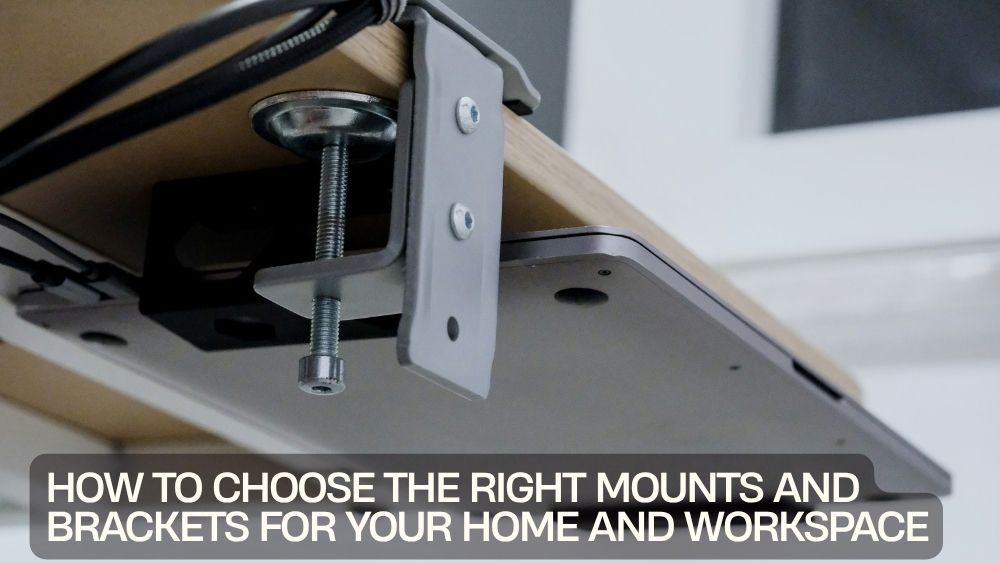
A well-organized space is not just about having the right devices—it’s also about placing them correctly. The right mounts and brackets can transform a cluttered desk, improve viewing comfort, and create a cleaner, more efficient environment.
Whether you’re setting up a home theater, upgrading your office, or building a professional workstation, choosing the right mounting brackets plays an important role in stability, flexibility, and overall design.
From wall mounts and monitor mounts to heavy-duty installation solutions, this guide will help you understand how to select the perfect option for your needs.
Why Mounts and Brackets Matter
Modern homes and workspaces often include multiple screens, speakers, projectors, and electronic devices. Without proper organization, cables and equipment can quickly take over your space.
Quality mounting brackets provide several advantages:
- Better space management
- Improved viewing angles
- Enhanced workspace organization
- Increased device stability
- A cleaner interior appearance
The right mounting solution doesn’t just hold your equipment—it helps create a more comfortable and productive environment.
Explore Mounting Solutions for Every Setup
If you’re searching for reliable installation products, explore a range of professional solutions here:
👉 Explore Mounts & Brackets Collection
From flexible desk systems to secure display supports, these products are designed for different home and workplace requirements.
Understanding Different Types of Mounts and Brackets
Choosing the correct mount depends on what you want to install, where it will be placed, and how much flexibility you need.
Wall Mounts for Space-Saving Installations
Wall mounts are ideal for homeowners and professionals who want to maximize available space. They keep screens and equipment securely attached while reducing desk or floor clutter.
Common uses include:
- Televisions
- Monitors
- Speakers
- Projectors
- Decorative displays
A properly installed wall mount creates a clean, modern appearance while improving viewing comfort.
TV Mounts for Better Entertainment Experiences
A quality TV mount can completely change your entertainment setup. Instead of placing a television on bulky furniture, mounting it on a wall creates a streamlined home theater look.
Benefits include:
- Better viewing height
- More floor space
- Reduced cable clutter
- Improved room aesthetics
When choosing a TV mount, consider:
- Screen size compatibility
- Weight capacity
- Wall type
- Tilt and swivel features
Monitor Mounts for Productive Workspaces
For professionals, gamers, and creators, monitor mounts offer better ergonomics and improved desk organization.
A good monitor mount allows you to adjust:
- Height
- Viewing angle
- Screen position
- Rotation direction
This helps reduce neck strain while creating a more comfortable working environment.
Adjustable Monitor Mounts for Flexible Setups
An adjustable monitor mount is perfect for users who frequently change their workspace arrangement.
These mounts are popular among:
- Designers
- Developers
- Gamers
- Financial professionals
- Remote workers
A flexible arm system allows monitors to move smoothly while keeping your desk organized.
For dual-screen setups, this option provides excellent flexibility:
👉 Dual Mechanical Spring Monitor Arms for Ultrawide Displays

It supports large displays while allowing easy adjustment for different tasks.
Desk Mounts for Modern Workstations
A desk mount is one of the easiest ways to improve a workspace without major installation.
Desk-mounted systems attach directly to your work surface and are ideal for:
- Home offices
- Gaming desks
- Multi-monitor workstations
- Creative studios
They help free up valuable desk space while creating a cleaner layout.
For professionals using stacked displays, this solution is a strong choice:
👉 Dual Monitor Desk Mount for Vertically Stacked Monitors

It supports large monitors while maintaining a streamlined workstation design.
Display Mounts for Multi-Screen Environments
Modern workflows often require multiple displays. Display mounts make it easier to organize several screens while maintaining comfort and efficiency.
They are useful for:
- Trading stations
- Video editing setups
- Control rooms
- Gaming environments
- Professional studios
For advanced multi-monitor users, this setup offers extensive support:
👉 Six Monitor Desk Mount with Crossbar

It allows multiple screens to be arranged efficiently while saving desk space.
Heavy Duty Brackets for Strong Support
Some installations require extra strength and stability. Heavy duty brackets are designed for larger equipment and demanding applications.
They are ideal for:
- Large displays
- Professional monitors
- Industrial setups
- Specialized equipment
When selecting heavy-duty options, always check:
- Maximum weight capacity
- Material quality
- Mounting surface strength
- Installation requirements
A strong bracket ensures long-term safety and reliability.
Projector Mounts for Home Theater and Business
A proper projector installation requires stability and precise positioning. Projector mounts help achieve the correct viewing angle while keeping the device secure.
They are commonly used in:
- Home cinemas
- Classrooms
- Conference rooms
- Entertainment spaces
A well-positioned projector creates a better viewing experience and reduces setup issues.
Speaker Brackets for Better Audio Placement
Sound quality depends not only on the speakers themselves but also on their placement.
Speaker brackets help position speakers correctly for improved audio performance.
Benefits include:
- Better sound direction
- Cleaner room design
- Flexible positioning
- Reduced surface clutter
They are useful for home theaters, gaming rooms, and entertainment areas.
How to Choose the Best Mounting Solutions
Finding the best mounting solutions requires considering several important factors.
1. Identify Your Device Type
Different equipment requires different mounts:
- TVs need TV mounts
- Monitors need monitor mounts
- Projectors need projector mounts
- Speakers need speaker brackets
Choosing the correct category ensures proper support.
2. Check Weight and Size Compatibility
Always verify:
- Screen size range
- Weight limit
- VESA compatibility
- Mounting hardware
A mount should comfortably support your equipment without stress.
3. Consider Adjustability
Adjustable designs provide more flexibility. Features like:
- Swivel movement
- Height adjustment
- Tilt control
- Rotation
help create a more personalized setup.
4. Evaluate Your Space
Think about your room layout before installation.
Consider:
- Available wall space
- Desk size
- Viewing distance
- Cable management
A good mount should improve your space, not complicate it.
5. Choose Durable Materials
High-quality materials improve safety and lifespan. Strong steel construction and reliable mounting hardware are especially important for heavier devices.
Single Monitor Mounts for Everyday Work
For users who only need one display upgrade, a single monitor arm can provide significant ergonomic benefits.
This adjustable option is ideal for home offices and personal workstations:
👉 VEVOR Single Monitor Mount with Gas Spring Arm

Its flexible design allows users to position their monitor comfortably throughout the day.
Creating a Cleaner and Smarter Space
The right home installation accessories help bring organization and style together. Instead of letting devices dominate your space, smart mounting choices create a balanced environment.
A well-designed setup can improve:
- Productivity
- Comfort
- Entertainment quality
- Room appearance
- Daily convenience
Mounting solutions are small upgrades that can create a major impact.
Final Thoughts
Choosing the right mounts and brackets is essential for creating organized, functional, and comfortable spaces. Whether you need monitor mounts, TV wall brackets, desk mounts, or specialized installation accessories, the right solution improves both performance and design.
From compact home offices to advanced multi-monitor workstations, quality mounting systems provide the stability and flexibility needed for modern living.
With thoughtful planning and the right equipment, your workspace and entertainment areas can become cleaner, smarter, and more efficient.