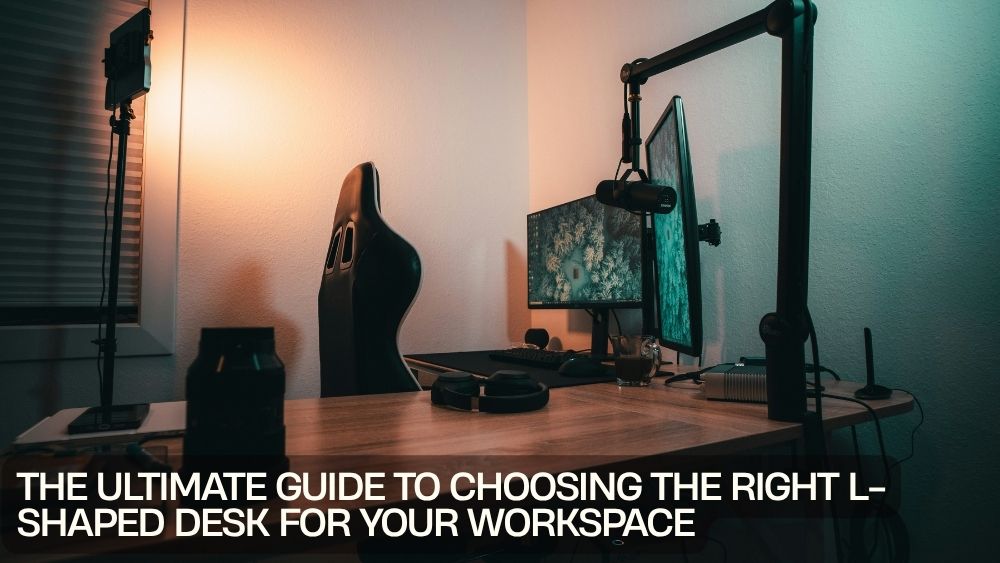
The right desk can change the way your entire workspace feels. When everything has a place, your computer setup feels less cramped, your paperwork stops taking over the room, and getting into work mode becomes much easier.
That is where an L-shaped desk earns its reputation. Instead of stretching across one wall, it uses a corner to create two connected work surfaces. You get room for a monitor, laptop, books, accessories, paperwork, and plenty of elbow space without necessarily consuming the entire room.
But choosing the right one takes more than finding a desk with an L-shaped silhouette. Size, layout, storage, technology, comfort, and your daily routine all matter.
This L-shaped desk buying guide will help you find a workspace that fits your room and the way you actually work.
Why Choose an L-Shaped Desk?
An L-shaped desk can be an excellent choice when you want more workspace without spreading furniture across multiple walls.
The two-sided design creates natural zones. One side can hold your main computer, while the other becomes a writing, planning, studying, or storage area.
For people who switch between tasks throughout the day, this arrangement can feel especially practical.
An L-shaped desk for productivity also gives you room to separate activities. Your primary screen can stay in one area while notebooks, documents, or creative projects occupy the other.
It is essentially a workspace with its own little geography.
Measure Your Room First
Before shopping for L-shaped desks for workspaces, grab a tape measure.
An L-shaped desk needs more planning than a simple rectangular desk because it occupies two directions at once.
Measure:
- Available wall length
- Available wall depth
- Corner dimensions
- Door clearance
- Window placement
- Walking space
- Nearby furniture
- Electrical outlet locations
Do not measure only the corner itself. You also need enough clearance to sit comfortably and move around the desk.
A desk that technically fits can still make a room feel cramped if there is no breathing room around it.
Choose the Right Desk Size
One of the biggest decisions is finding the right balance between workspace and available floor space.
A larger desk gives you more room for monitors, paperwork, accessories, and equipment. However, oversized furniture can overwhelm a smaller office.
An L-shaped desk for small spaces should provide useful surface area without making movement difficult.
For larger rooms, you have more flexibility. You can choose a generous workstation that supports multiple monitors, office equipment, books, and other essentials.
The right size is not necessarily the largest size you can fit. It is the size that gives you useful workspace while keeping the room functional.
Consider How You Work
Think about what normally happens at your desk.
Do you spend most of the day typing?
Do you use several monitors?
Do you write by hand?
Do you attend video meetings?
Do you study from textbooks?
Do you play games?
Do you frequently switch between a laptop and desktop?
Your answers should influence the configuration you choose.
A student may prioritize a spacious L-shaped writing desk. A remote worker might need room for a monitor, laptop, documents, and accessories. A gamer could prioritize equipment space, cable management, and monitor positioning.
The best desk follows your routine rather than forcing your routine to follow it.
Create a Dedicated Home Office
For remote workers, an L-shaped desk for home office can transform an awkward corner into a productive workstation.
One surface can become your primary computer area, while the other provides room for paperwork, notebooks, a printer, or secondary equipment.
This separation can also help organize your workflow.
For example, keep frequently used technology on the main side and reserve the secondary surface for documents or planning.
The result is a workspace that feels intentional instead of assembled piece by piece.
If you are looking for inspiration, explore the TotalFindz L-shaped desk collection for different workstation configurations.
Think About Storage
Workspace clutter has a habit of multiplying when nobody is watching.
An L-shaped desk with storage can help keep frequently used items within reach while freeing up your main work surface.
Look for shelves, drawers, monitor stands, trays, or other integrated storage features depending on your needs.
Open shelves work well for items you access regularly. Drawers are useful for keeping smaller accessories, stationery, and personal items out of sight.
Do not choose storage simply because it exists, though. Consider what you actually need to store.
A minimalist workspace may need only a couple of shelves, while a busy home office may benefit from significantly more organization.
Consider a Corner Desk Layout
The corner is the natural home of an L-shaped desk.
A corner desk for home office can make use of space that might otherwise remain empty. This is particularly useful in rooms where wall space is limited.
Think about which direction the desk should face and where you want your primary workstation.
Before buying, visualize yourself sitting at the desk. Check whether the monitor will face a window, whether natural light will create glare, and whether you can comfortably reach both work surfaces.
Small positioning decisions can have a surprisingly large impact.
Make Technology Part of the Plan
Modern workspaces often contain more technology than furniture.
Computer, monitor, laptop, speakers, chargers, lamps, USB devices, and other accessories can quickly create cable chaos.
If you are choosing an L-shaped computer desk, consider how your technology will be arranged before purchasing.
Look for features that support your setup, such as monitor stands, cable openings, equipment shelves, or built-in power access.
For example, the 59-inch L-shaped corner desk with computer workstation design offers a compact format for home office or study environments.

Look for Built-In Power Features
Power access can be particularly useful when your desk supports several electronic devices.
An L-shaped workstation with integrated outlets or USB ports can reduce the need to stretch cables across the room.
The L-shaped computer desk with two outlets and two USB ports is an example of a design that incorporates power access into the workstation itself.

Before buying, check the specifications carefully and think about where your devices will sit.
A power outlet is most useful when it is positioned where you actually need it.
Think About Gaming
An L-shaped desk can make an excellent gaming workstation because it provides room for monitors, peripherals, speakers, controllers, and other equipment.
When shopping for an L-shaped desk for gaming, consider the number of monitors you use and how much surface area your keyboard and mouse require.
A dedicated gaming area can also benefit from shelves or raised monitor space.
The dark grey L-shaped computer gaming desk with two shelves combines an L-shaped configuration with additional shelving for workspace organization.

Another option is the L-shaped gaming desk with monitor stand and host tray, which is designed around a more equipment-focused setup.

The key is to choose a desk that supports your hardware without leaving you fighting for elbow room.
Pay Attention to Monitor Position
Monitor placement affects both comfort and workspace efficiency.
Your primary screen should sit in a position that feels natural when you are seated. If you use multiple monitors, make sure the desk provides enough depth and width for the complete arrangement.
A monitor stand can also free up surface space underneath your screen.
This is particularly useful on an ergonomic workspace desk, where keeping frequently used items organized can make the work area feel more comfortable.
Do not forget about lighting. Position your screen and desk lamp so that reflections do not constantly compete with what is on your display.
Consider Ergonomics
A desk can be beautiful, spacious, and completely wrong for your body.
When choosing an ergonomic workspace desk, think about your chair height, legroom, monitor position, keyboard placement, and overall posture.
Your arms should be able to rest comfortably while typing. Your legs should have sufficient clearance beneath the desk.
The desk and chair need to work together.
If you already own an office chair, measure its height and armrest position before purchasing. A desk that leaves your chair awkwardly positioned can turn a productive workspace into an uncomfortable one.
Choose the Right Desk Material and Finish
Appearance matters too.
Your desk is likely to become one of the largest visual elements in your office, bedroom, or gaming room.
Modern finishes can create a clean and streamlined atmosphere. Wood-look surfaces can bring warmth to a home office. Dark finishes often pair well with gaming equipment and contemporary interiors.
Consider the rest of your room before choosing.
A desk should feel connected to your existing furniture rather than looking like it landed there from another universe.
Keep Workspace Organization Simple
An organized desk does not require twenty storage containers and a spreadsheet for your storage containers.
Start with the items you use most often.
Keep your keyboard, mouse, notebook, and frequently used accessories within easy reach. Store less frequently used items on shelves or in drawers.
Use the two surfaces of an L-shaped desk strategically.
For example:
Primary side: computer, monitor, keyboard, mouse.
Secondary side: paperwork, writing, books, printer, or creative projects.
This simple zoning approach can make home office organization ideas much easier to implement.
Consider Your Future Needs
A desk should support more than your current setup.
Maybe you currently use one monitor but plan to add another. Perhaps you work primarily from a laptop but expect to move to a desktop later.
Think ahead.
A little extra surface area can be valuable if your workspace is likely to evolve.
At the same time, avoid buying a huge desk based on hypothetical equipment you may never purchase.
Find a sensible middle ground.
Check Assembly and Installation Requirements
Before ordering, check how the desk is assembled.
L-shaped furniture can involve more pieces and connections than a basic rectangular desk.
Check whether the desk can be assembled on either side or whether the configuration is fixed. This is particularly important if your room layout may change.
Also check the package dimensions if the desk is being delivered. A piece of furniture can fit perfectly in your office and still create a logistical puzzle when you try to get it through a narrow doorway.
Build a Productive Workspace
Once your desk is in place, use it to create a workspace that encourages focus.
Keep your primary work zone clear.
Position your monitor comfortably.
Organize cables.
Use shelves for items that do not need to occupy the desktop.
Add task lighting if necessary.
Keep personal touches nearby without allowing decorations to consume valuable workspace.
The objective is not to create a showroom. It is to create a space where work, study, gaming, or creative projects feel easier to begin.
Compare Your Options Carefully
Different L-shaped desks serve different purposes.
For example, a straightforward workstation may suit studying and everyday office tasks, while a gaming-focused design may provide additional equipment storage.
If technology is central to your setup, consider the walnut L-shaped gaming desk with monitor stand.
If you prefer a compact workstation for everyday computing, the 59-inch black L-shaped corner desk may offer a more streamlined approach.
Always compare dimensions, storage, materials, configuration, and features rather than choosing based on appearance alone.
Final Thoughts
Choosing the right L-shaped desk comes down to one central question: Does it work for you?
Measure your room before shopping. Consider how much surface area you genuinely need. Think about storage, technology, ergonomics, and future upgrades. Then choose a configuration that fits naturally into your space.
An L-shaped desk can turn an unused corner into a serious workstation, a compact study zone, or a fully equipped gaming command center.
The best choice does not simply occupy your room. It organizes it.
And when your workspace is organized, your next project has one less excuse to hide behind.
Explore L-Shaped Desk Options
Ready to rethink your workspace? Browse the TotalFindz L-shaped desks collection to explore computer desks, gaming workstations, and practical corner desk designs for different workspace needs.