

Description
TUTT 15.6” Smart Digital Calendar Pro | Touchscreen Family Organizer, Chore Chart, Photo & Video Frame
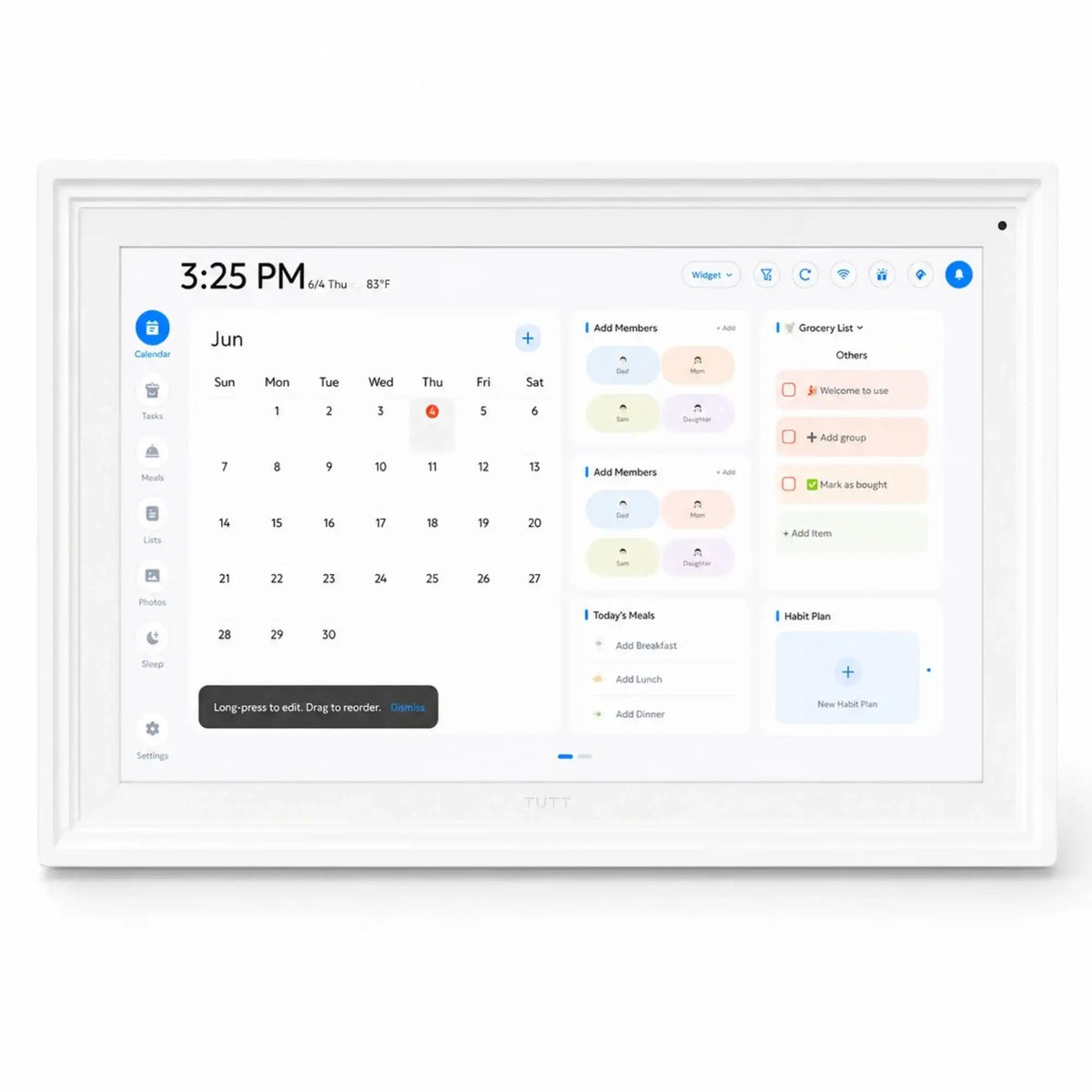
The TUTT 15.6” Smart Digital Calendar Pro is designed as a modern home and office organization display with upgraded app functions, a cleaner white appearance, and an exclusive dual-part tabletop stand for improved stability. It combines a Full HD touchscreen calendar, family chore planner, cloud photo frame, video display, reminder board, and smart daily organizer in one connected device.
3 Key Upgrades in the New TUTT 15.6” Smart Digital Calendar Pro
A clearer app experience, a cleaner display design, and an exclusive support stand for better tabletop stability.
Pro App Upgrade
The upgraded TUTT app adds more advanced planning and media tools for day-to-day organization, schedule visibility, and easier family coordination.
Cleaner, Sleeker Look
The updated design has a cleaner white finish and a more refined full-display appearance, making it easier to place in modern homes, kitchens, offices, reception areas, or family spaces.
Exclusive TUTT Dual-Part Stand
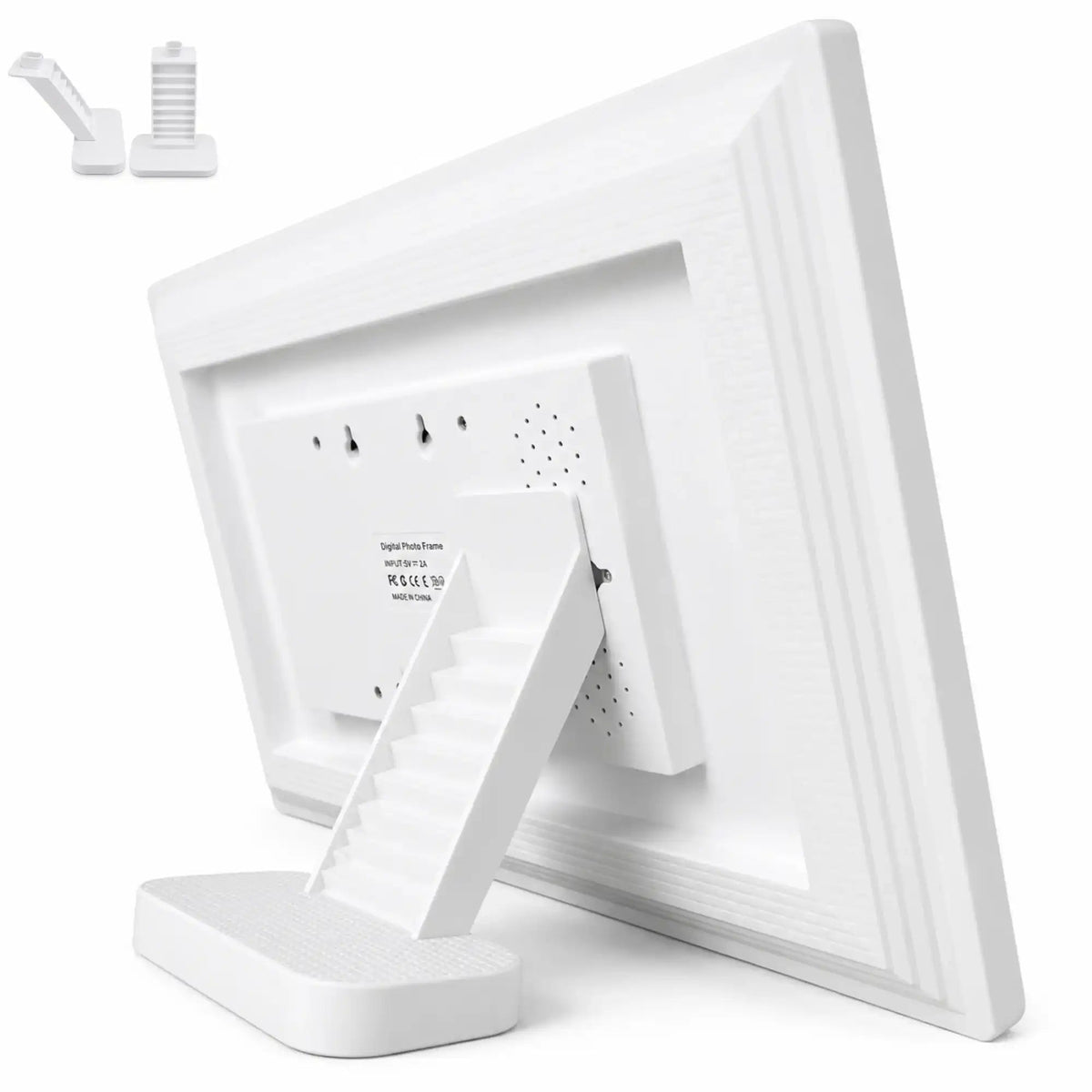
The upgraded stand system uses two separate parts: a base foundation that sits on the tabletop and a rear support arm that connects to the back of the digital calendar.
This structure is useful when the calendar is placed on a countertop, kitchen island, desk, office table, or reception counter where stronger rear support is needed.

Complete Feature Comparison: TUTT Smart Calendar vs TUTT Smart Calendar Pro
The table below presents the complete upgrade structure from the Pro version feature file. On mobile devices, swipe horizontally to view the full comparison.
| Category | Feature | TUTT Smart Calendar | TUTT Smart Calendar Pro | Upgrade Note |
|---|---|---|---|---|
| Size Support | Display Size | 15.6 inch | 15.6 inch | Same display size |
| Cloud Album | Photo Sending | ✓ Up to 100 photos | ✓ Up to 100 photos | Included in both versions |
| Cloud Album | Video Sending | ✓ Up to 5 minutes long | ✓ Up to 5 minutes long | Included in both versions |
| Cloud Album | Album List | ✓ | ✓ | Included in both versions |
| Cloud Album | Add Friend | ✓ | ✓ | Included in both versions |
| Cloud Album | Effect Switch | ✓ | ✓ | Included in both versions |
| Cloud Album | Like | ✓ | ✓ | Included in both versions |
| Cloud Album | Sequential Playback | ✓ | ✓ | Included in both versions |
| Cloud Album | Delete / Crop / Rotate | ✓ | ✓ | Included in both versions |
| Cloud Album | Cloud Photo Backup | — | — | Not included |
| Cloud Album | Clock | — | ✓ | NEW |
| AI Capabilities | AI Portrait Restoration | ✓ | ✓ | Included in both versions |
| AI Capabilities | AI Portrait Colorization | ✓ | ✓ | Included in both versions |
| AI Capabilities | AI Portrait HD Upscaling | ✓ | ✓ | Included in both versions |
| Family Calendar | Schedule View | ✓ | ✓ | Included in both versions |
| Family Calendar | Portrait Orientation | ✓ | ✓ | Included in both versions |
| Family Calendar | Daily To-Do | ✓ | ✓ | Included in both versions |
| Family Calendar | Emoji | ✓ | ✓ | Included in both versions |
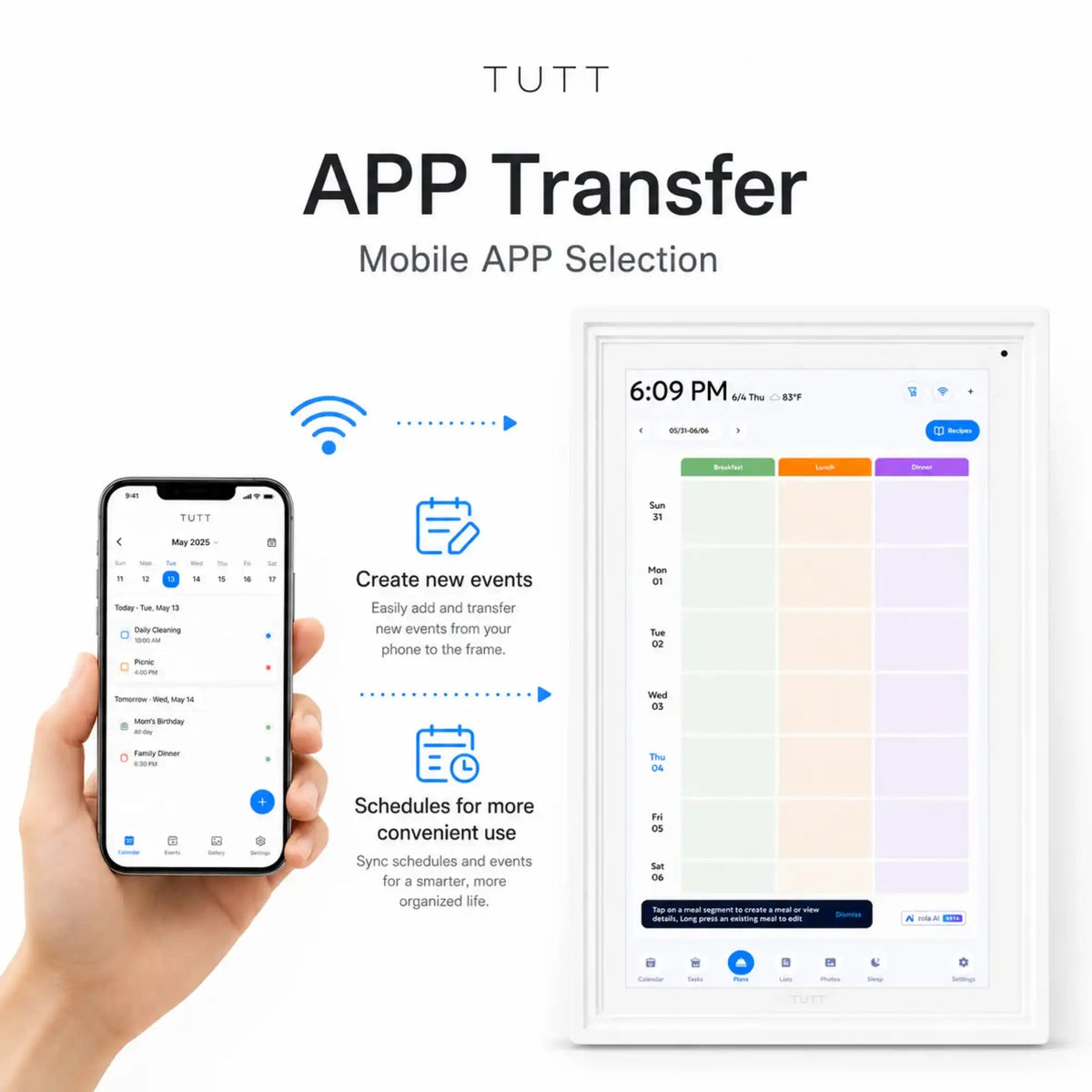
| Family Calendar | Real-Time Sync of Phone and Frame Schedule | ✓ | ✓ | Included in both versions |
| Family Calendar | Real-Time Google Calendar Sync | ✓ | ✓ | Included in both versions |
| Family Calendar | Automatic iCloud Calendar Sync | ✓ | ✓ | Included in both versions |
| Family Calendar | Automatic Microsoft Exchange Calendar Sync | ✓ | ✓ | Included in both versions |
| Family Calendar | Automatic Cozi Calendar Sync | ✓ | ✓ | Included in both versions |
| Family Calendar | Automatic Yahoo Calendar Sync | ✓ | ✓ | Included in both versions |
| Family Calendar | Automatic TeamSnap Calendar Sync | ✓ | ✓ | Included in both versions |
| Family Calendar | Local Calendar Import | ✓ | ✓ | Included in both versions |
| Family Calendar | Member Management | ✓ | ✓ | Included in both versions |
| Family Calendar | Star Points | ✓ | ✓ | Included in both versions |
| Family Calendar | Star Points Gift Redemption | ✓ | ✓ | Included in both versions |
| Family Calendar | Meal Planning | ✓ | ✓ | Included in both versions |
| Family Calendar | Habit Tracker | ✓ | ✓ | Included in both versions |
| Family Calendar | Alarm Ringtone | ✓ | ✓ | Included in both versions |
| Family Calendar | Quick Templates | ✓ | ✓ | Included in both versions |
| Family Calendar | Dynamic Schedule Cards | — | ✓ | NEW |
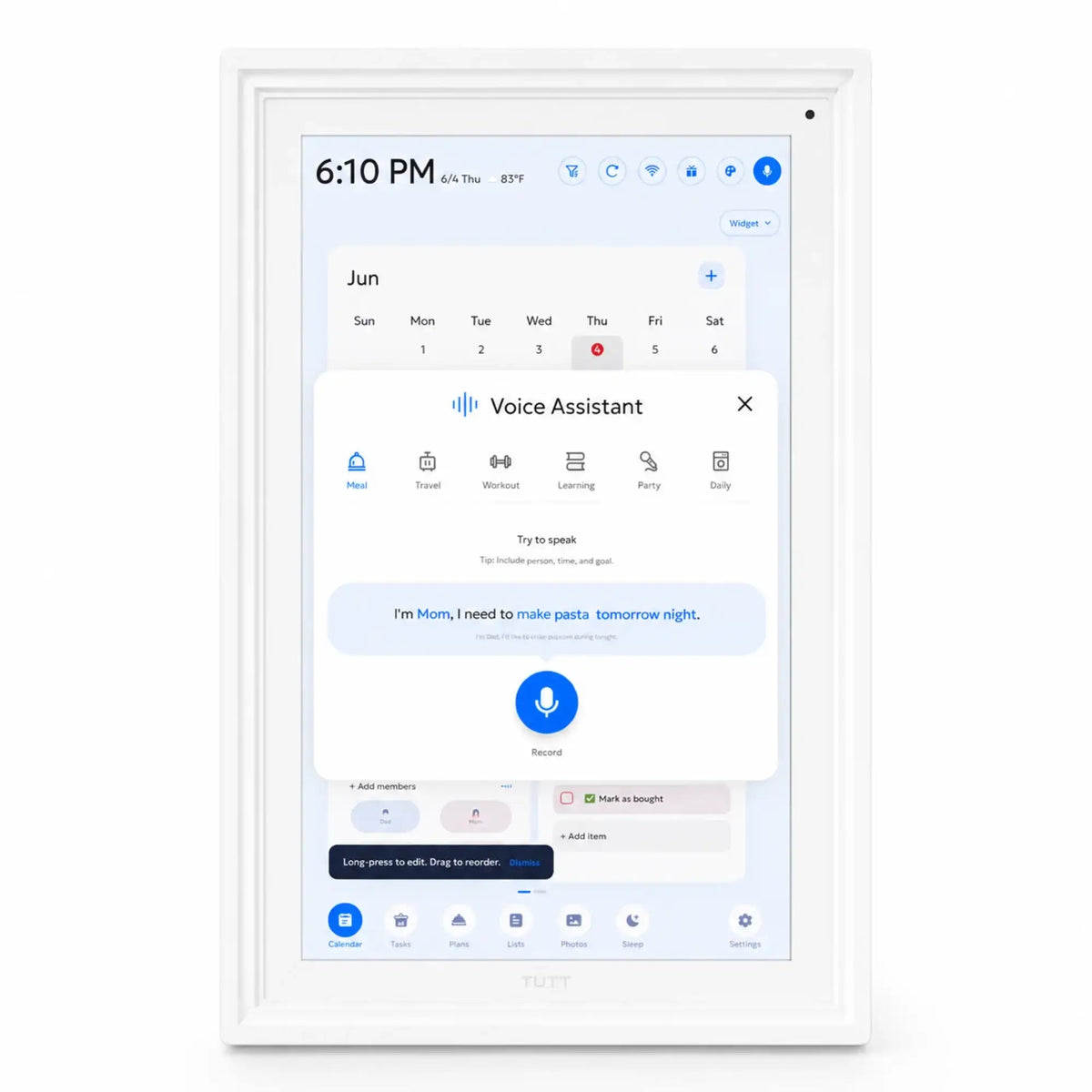
| Family Calendar | Voice Reminder 15s | — | ✓ | NEW |
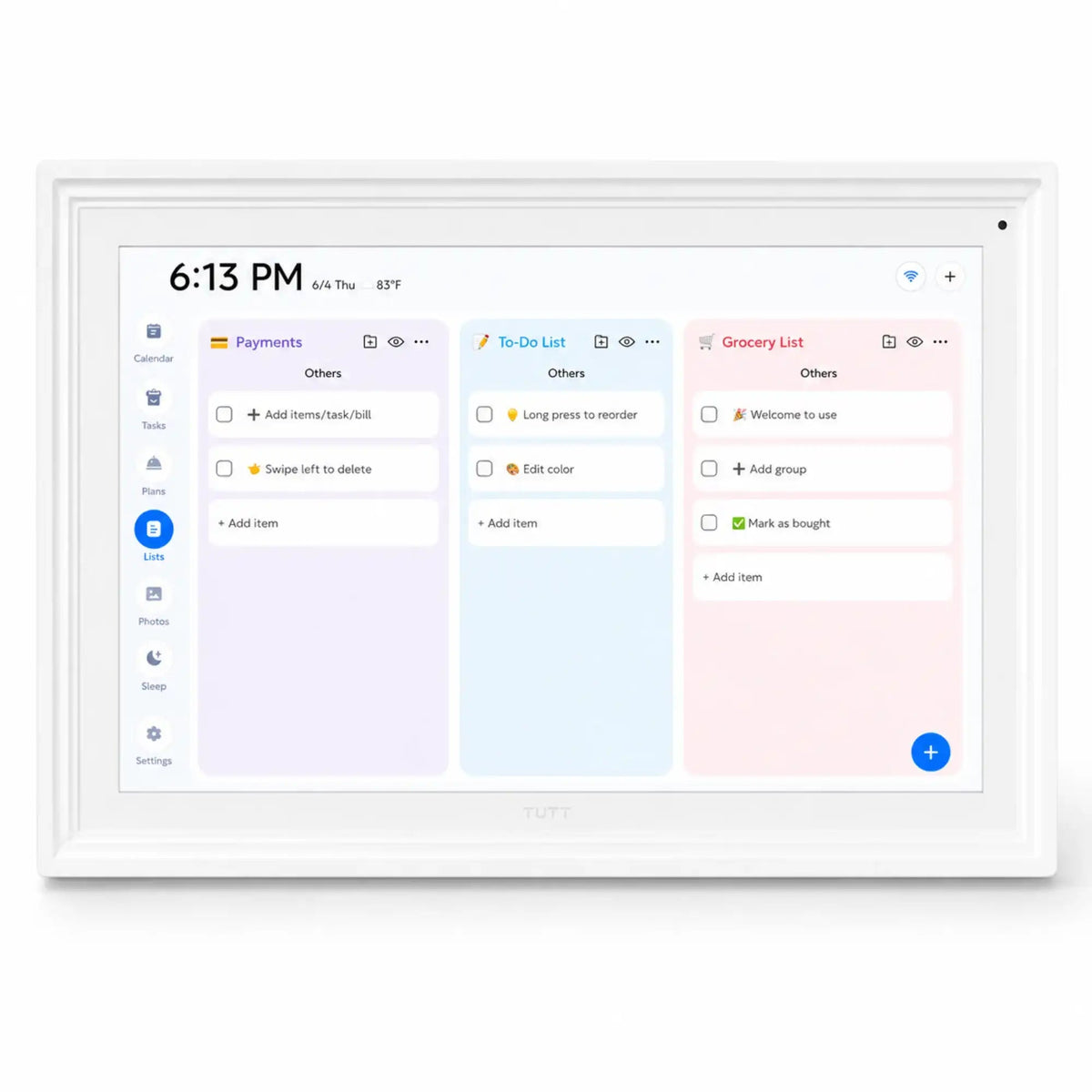
| Family Calendar | Shopping List | — | ✓ | NEW |
| Family Calendar | Magic Import with AI Image Recognition | — | ✓ | NEW |
| Family Calendar | Weather | — | ✓ | NEW |
| Family Calendar | Auto Photo Playback Without Touch | — | ✓ | NEW |
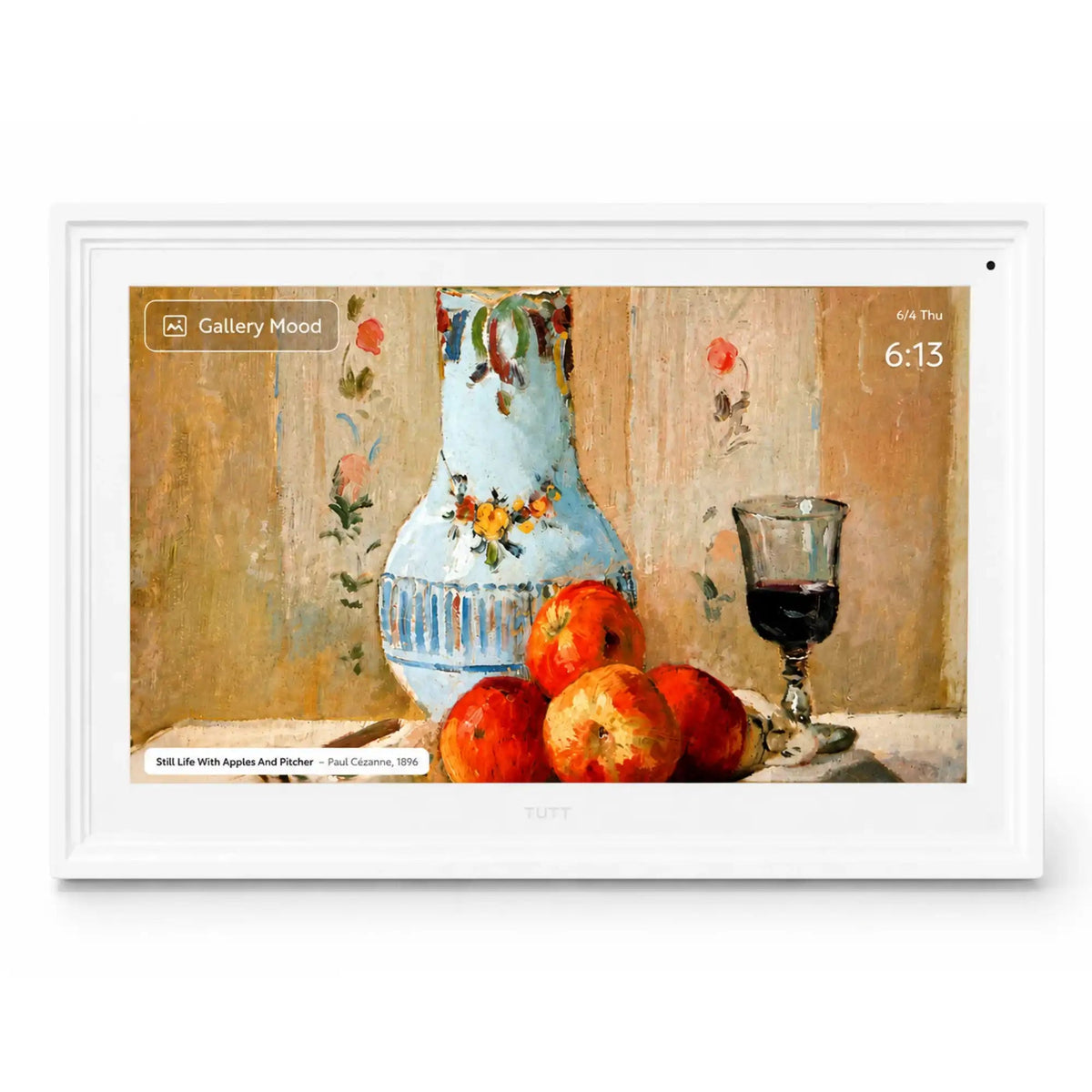
| Art Gallery | Famous Artworks | ✓ | ✓ | Included in both versions |
| Art Gallery | Slide Interval Duration | ✓ | ✓ | Included in both versions |
| System | Auto Brightness Adjustment | ✓ | ✓ | Included in both versions |
| System | Sleep Mode | ✓ | ✓ | Included in both versions |
| System | Multilanguage Support 19 Languages | ✓ | ✓ | Included in both versions |
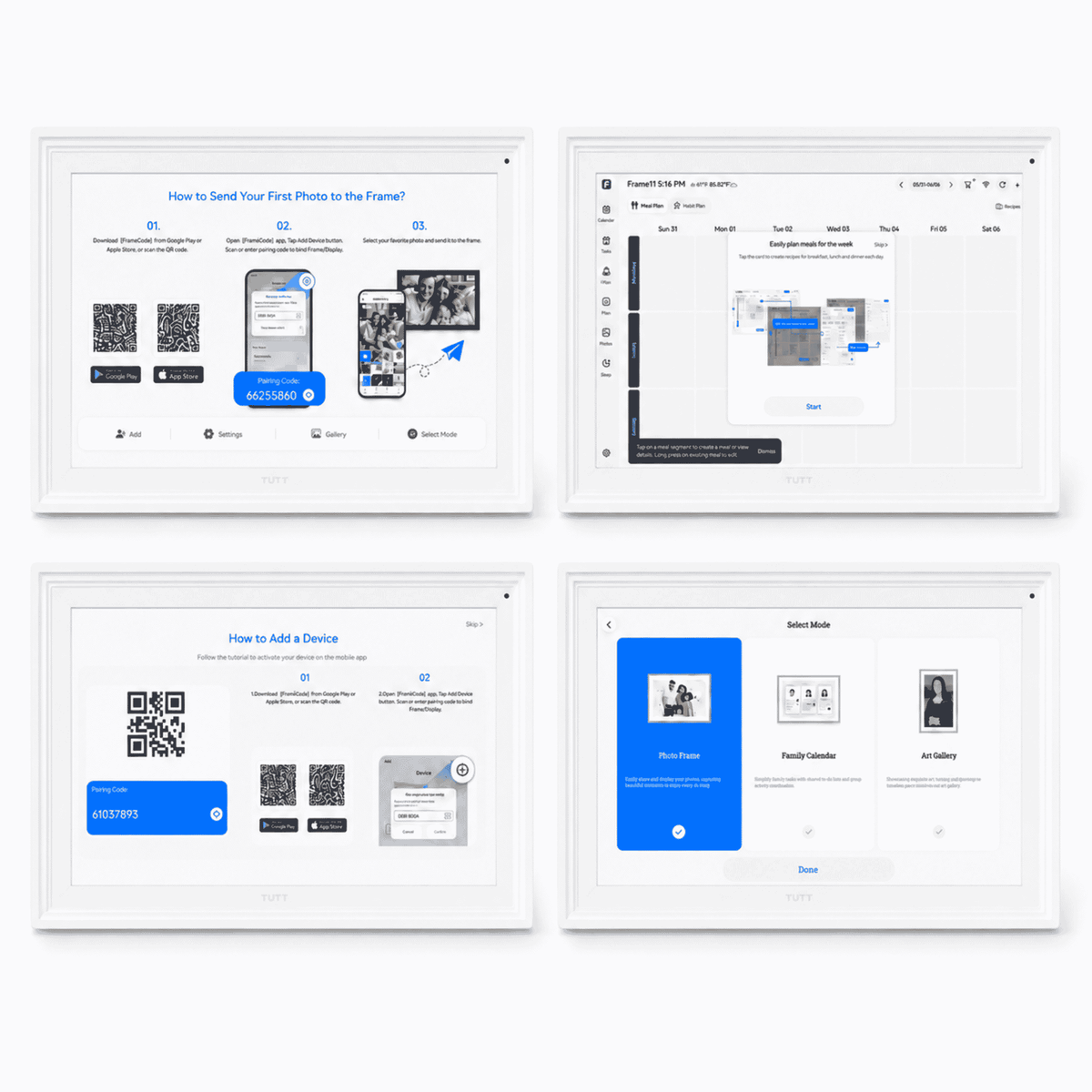
| Phone Connectivity | Switch Modes via App | ✓ | ✓ | Included in both versions |
| Phone Connectivity | Share Device Pairing Code via App | ✓ | ✓ | Included in both versions |
| Phone Connectivity | Stream Audio to Frame via App | ✓ | ✓ | Included in both versions |
| Phone Connectivity | Send Greetings | ✓ | ✓ | Included in both versions |
Smart Family Organizer for Daily Schedules, Chores, Photos, and Reminders
The TUTT 15.6” Smart Digital Calendar Pro works as a connected family calendar, chore chart, digital photo frame, video frame, smart daily planner, and art display. It helps families and shared spaces keep important schedules visible instead of relying only on phones, paper notes, or separate reminder apps.
With Wi-Fi connectivity, touchscreen control, app-based sharing, and calendar sync support, the display can be used for family routines, meal planning, reminders, habit tracking, photo playback, and household coordination.


Technical Specifications
Core hardware, system, connectivity, media, and package details for the TUTT 15.6” Smart Digital Calendar Pro.
Display & Touch
- Screen Size: 15.6” IPS Full-View Touch Display
- Resolution: 1920 × 1080 Full HD
- Aspect Ratio: 16:9
- Touch Control: Capacitive multi-touch
- Auto Rotation: Portrait and landscape display support
Performance
- CPU: Rockchip RK3326S
- RAM: 2GB DDR3
- Internal Storage: 32GB eMMC
- Operating System: Android-based smart display system
Connectivity
- Wi-Fi: 802.11 b/g/n
- Ports: 1 × TF card slot, 1 × USB 2.0
- Power Adapter: 12V / 2A
- Phone Connectivity: App pairing, media sharing, and schedule control
Media & Sound
- Speakers: Dual 8Ω 2W × 2
- Video Support: MPEG-1, MPEG-2, MPEG-4, H.263, H.264, VC1, RV up to 1080p
- Photo Support: BMP, JPEG, PNG, GIF
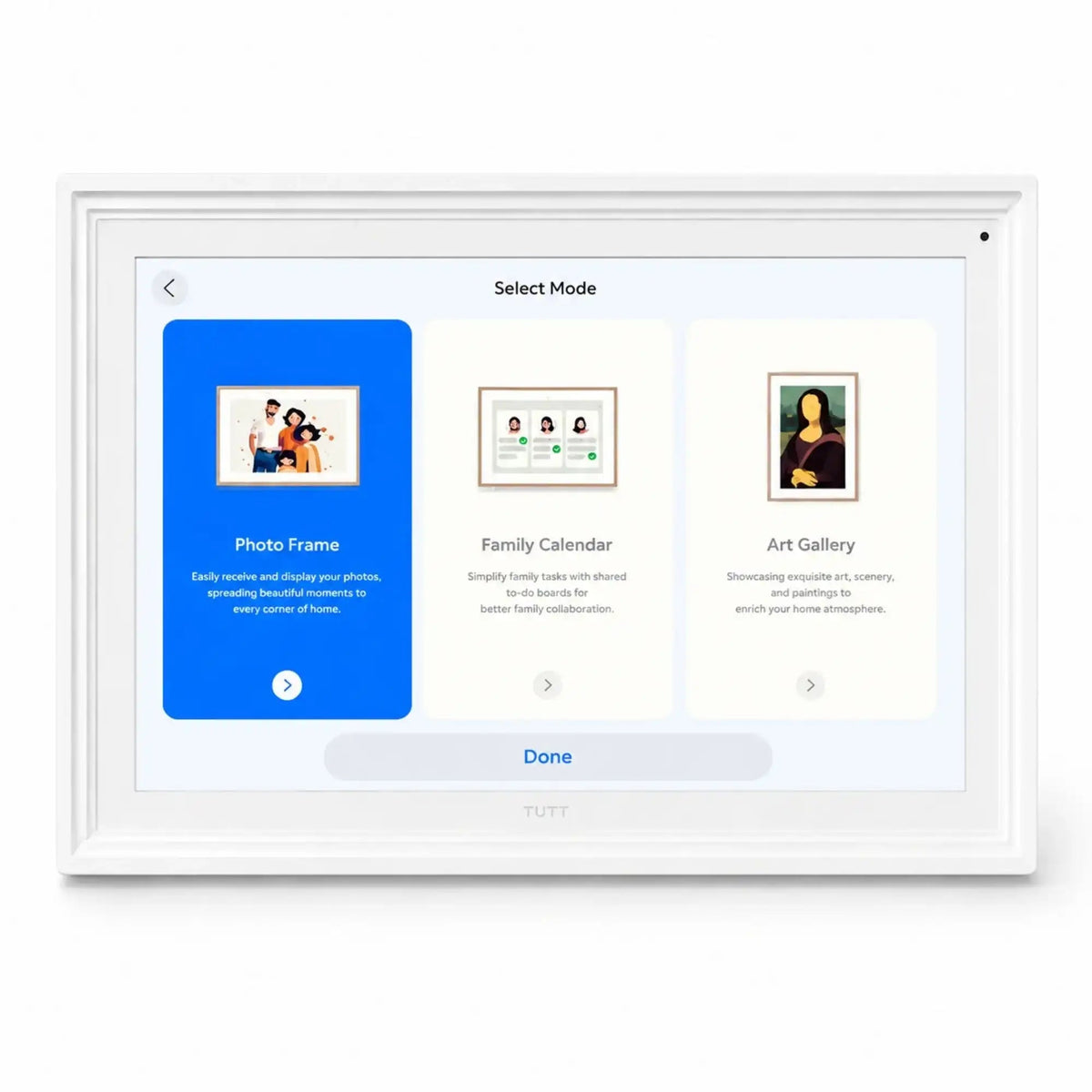
- Display Modes: Calendar, photo frame, video frame, art gallery, and planning board
Pro App Features for Smarter Daily Planning
The Pro version expands the planning experience with upgraded organization, media, and family scheduling tools.
Dynamic Schedule Cards
Displays daily activities in clearer visual cards so routines, meetings, school tasks, and reminders are easier to read at a glance.
Voice Reminder
Supports short voice reminders for practical alerts, family notes, medication timing, and routine tasks.
Shopping List
Helps organize grocery and household lists directly within the smart family planning system.
Magic Import
Uses AI image recognition support to help import schedule information from visual sources more efficiently.
Weather Display
Adds weather information to the planning screen for better daily preparation and family scheduling.
Auto Photo Playback
Allows photos to play automatically without touch, making the display work naturally as a smart photo frame.
Calendar Sync
Supports real-time schedule syncing with Google Calendar, iCloud, Outlook, Yahoo, Cozi, TeamSnap, and local calendar import.
Family Management
Supports member management, to-do lists, meal planning, habit tracking, alarm ringtones, and quick templates.
Smart Calendar, Chore Chart, and Photo Display in One Screen
Use the TUTT 15.6” Smart Digital Calendar Pro as a visible home command center for schedules, chores, meals, reminders, photos, videos, and everyday family coordination.

Exclusive Dual-Part Stand for Stronger Tabletop Support
The upgraded stand is designed for more stable use on desks, counters, kitchen islands, and shared workspaces.
Two-Part Support Structure
The stand includes a separate base foundation and a rear support arm. The base sits flat on the table, while the rear support connects to the back of the digital calendar. This gives the display a stronger support angle compared with a basic rear kickstand.
Why the upgraded stand matters
- Better rear support: Helps the screen stay steady during touchscreen use.
- Improved tabletop stability: More suitable for counters, desks, kitchen spaces, and office tables.
- Portrait and landscape support: Works for wide calendar viewing or vertical schedule display.
- Cleaner setup: The white stand visually matches the updated product body.
Portrait or Landscape Placement
Landscape mode is useful for shared family viewing, photo playback, and wide calendar display. Portrait mode is practical for schedule lists, chore charts, reminders, and daily routines where vertical reading is preferred.
General TUTT Calendar 360° Product Preview
This general preview video shows the overall design direction and product presentation style used for TUTT smart calendar displays. It is intended as a broad visual reference for the digital calendar category.
Key Features
Designed for everyday organization, family planning, media display, and connected home use.
Auto-Sync Calendar
Syncs with major calendar services to keep family schedules visible on one shared display.
Smart Photo Frame
Displays photos and videos with app-based sending and automatic playback options.
Family Planner
Supports to-do lists, chores, meal planning, habit tracking, reminders, and daily routines.
Art Gallery Mode
Displays artwork and creative content with slideshow and image enhancement support.
Touchscreen Control
Capacitive touch control makes it easy to navigate schedules, lists, settings, and media.
Auto Rotation
Supports portrait and landscape viewing for flexible placement and display preferences.
Alarm & Notifications
Helps manage reminders for events, tasks, medication, school schedules, and household routines.
Expanded Data Kit
Includes additional storage support for photos, videos, and creative display content.
Designed for Modern Home and Office Placement
The cleaner white frame and upgraded tabletop support make the TUTT Smart Digital Calendar Pro suitable for kitchens, counters, desks, reception areas, studios, and family rooms.

What’s in the Box
- 1 × TUTT 15.6” Smart Digital Calendar Pro, Chore Chart, Photo & Video Frame
- 1 × Power Adapter 12V / 2A
- 1 × Exclusive TUTT Dual-Part Stand System
- 1 × User Manual
FotoCube App Media Guide for TUTT & iLoop Digital Calendars
Use this compact product-page media guide to learn FotoCube setup, calendar tools, photo and video sharing, family routines, meal planning, habits, rewards, and calendar sync.
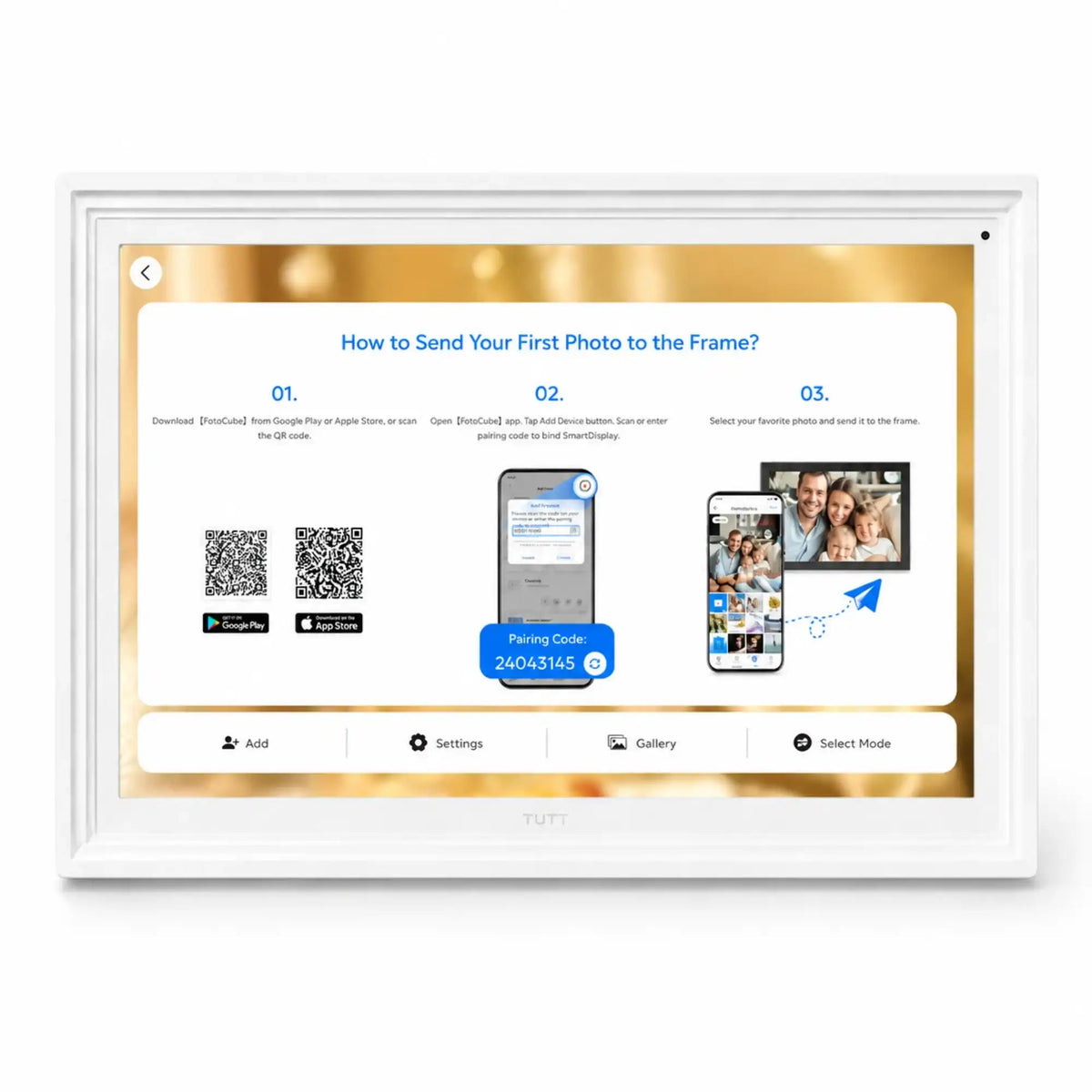
App Overview First use, calendar basics, CloudFrame 01
App Overview Video Guides
First use, calendar basics, CloudFrame
01 FotoCube App Overview A quick overview of FotoCube App tools for digital calendar displays, including calendar planning, CloudFrame, photo sharing, video display, and family organization. Open Video
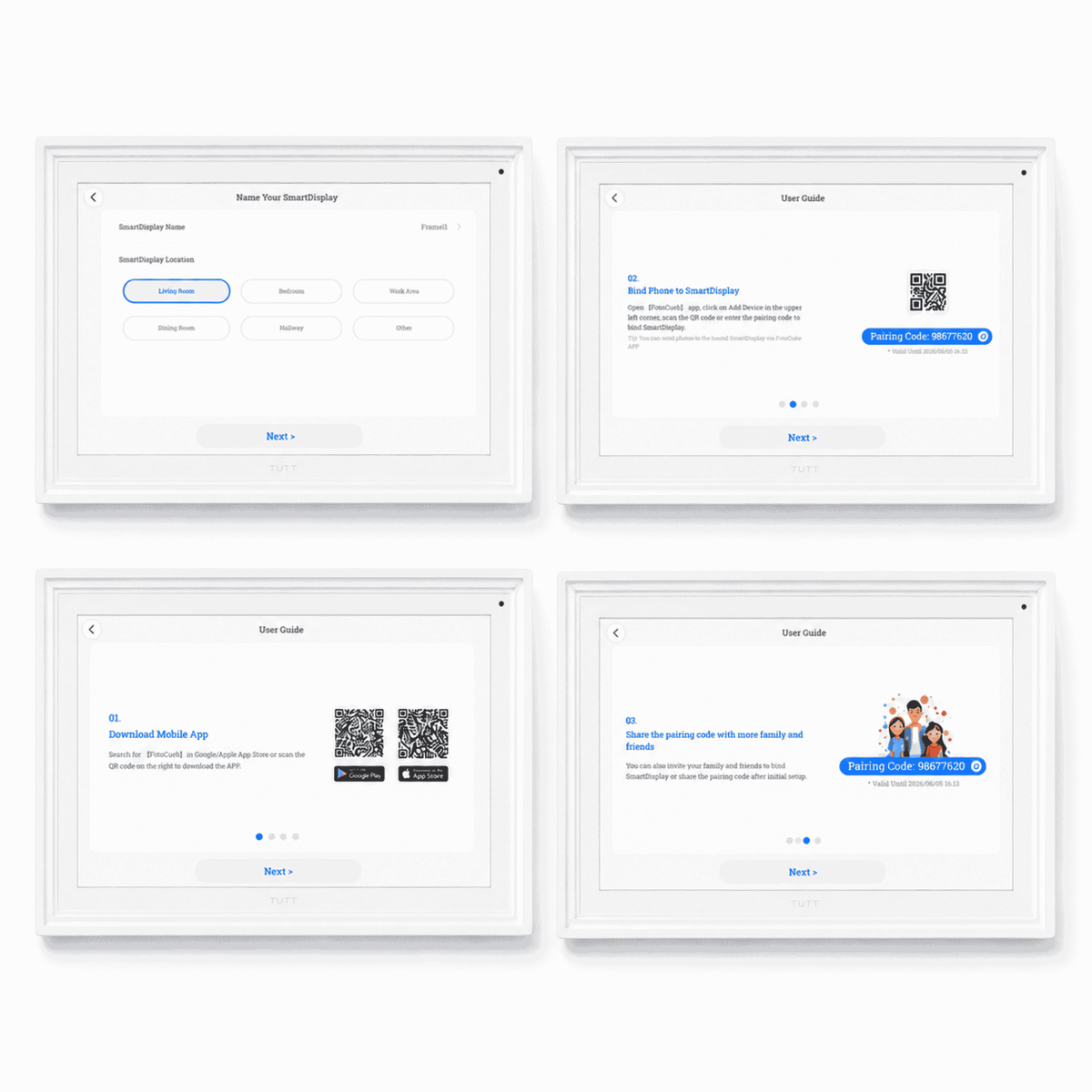
02 First Use Guide A first-use walkthrough for setting up the FotoCube App and understanding the main smart display workflow. Open Video
03 How to Use Calendar Learn how to use the calendar screen for schedules, events, reminders, and daily family planning. Open Video
04 How to Use CloudFrame Learn how CloudFrame helps family members share photos to a connected display through the FotoCube App. Open Video
Features Tasks, schedules, habits, meals, star points 02
Features Video Guides
Tasks, schedules, habits, meals, star points
05 Calendar Daily To-Do List Introduction Understand daily tasks, reminders, priorities, chores, and household responsibilities. Open Video
06 Calendar: Add Members to Family Schedule Learn how to add family members so shared schedules and routines can stay visible on one display. Open Video
07 Calendar Schedule Creating and Syncing Create and sync schedules, events, plans, and recurring family routines. Open Video
08 FotoCube Sleep Mode Guide Manage display rest times and reduce screen activity during quiet hours. Open Video
09 FotoCube Habits Plan Guide Track habits, daily goals, routines, and progress on a shared digital display. Open Video
10 FotoCube Meal Plan Guide Organize weekly meals, kitchen planning, grocery preparation, and household routines. Open Video
11 FotoCube Star Points System Use star points to support chores, motivation, task completion, and family routines. Open Video
Photos AI image tools, photo sharing, video sending 03
Photos Video Guides
AI image tools, photo sharing, video sending
12 FotoCube AI Image Processing Use AI Image Processing to help improve older or lower-quality photos before showing them on the display. Open Video
13 Photos Features Introduction Explore the main photo tools for viewing, sharing, and displaying family memories. Open Video
14 Send Photos & Videos on FotoCube Send photos and videos from the FotoCube App to a compatible digital calendar display. Open Video
Calendar Sync Cozi, Google, iCloud, Yahoo Calendar 04
Calendar Sync Video Guides
Cozi, Google, iCloud, Yahoo Calendar
15 Sync Cozi Calendar with FotoCube Connect Cozi schedules to FotoCube for shared family planning visibility. Open Video
16 Sync Google Calendar with FotoCube Connect Google Calendar events, appointments, school plans, and reminders to the display. Open Video
17 Sync iCloud Calendar with FotoCube Connect Apple calendar schedules from iPhone, iPad, or Mac workflows. Open Video
18 Sync Yahoo Calendar with FotoCube Connect Yahoo Calendar events, reminders, and daily planning information to FotoCube. Open Video
Frequently Asked Questions
These 12 answers stay inside the page as clear accordions for visitors and search engines.
1. Can the FotoCube App restore or improve old photos?
Yes. The FotoCube App includes AI Image Processing tools that can help improve older or lower-quality photos before they are shown on a compatible digital calendar display. Results depend on the original image quality, lighting, sharpness, and damage level.
2. Can I send photos and videos to a TUTT or iLoop Digital Calendar?
Yes. FotoCube supports sending photos and videos to compatible TUTT and iLoop digital calendar displays, helping the screen work as a calendar, photo frame, video frame, and family display.
3. What is CloudFrame in the FotoCube App?
CloudFrame is a cloud photo sharing feature that allows family members to send photos to a connected display without manually transferring files.
4. Can multiple family members use the same FotoCube calendar?
Yes. FotoCube supports shared family use so multiple users can view schedules, follow routines, manage events, and keep reminders visible on one display.
5. Can the FotoCube App sync with Google Calendar?
Yes. FotoCube can sync with Google Calendar so events, school schedules, appointments, work plans, reminders, and family routines can appear on the digital calendar display.
6. Can the FotoCube App sync with iCloud, Yahoo, or Cozi Calendar?
Yes. FotoCube includes sync resources for iCloud Calendar, Yahoo Calendar, Cozi Calendar, and Google Calendar.
7. What is the Daily To-Do List feature used for?
The Daily To-Do List helps organize daily tasks, reminders, priorities, routines, chores, and household responsibilities.
8. How does the Star Points System work?
The Star Points System supports chore chart motivation and family task rewards by assigning stars to completed tasks or routines.
9. What is the Sleep feature in the FotoCube App?
Sleep mode helps manage when the display rests or reduces activity during quiet hours, making it more practical for bedrooms, kitchens, offices, or shared spaces.
10. Can FotoCube be used for habits and meal planning?
Yes. Habits Plan helps track routines and goals, while Meal Plan helps organize weekly meals, kitchen routines, grocery preparation, and shared household schedules.
11. Can FotoCube help manage chores and family responsibilities?
Yes. FotoCube can support chore planning, task tracking, reminders, routines, and shared family responsibilities.
12. Is a TUTT or iLoop Digital Calendar only for calendar use?
No. Compatible displays can also work as a family planner, chore chart, reminder display, digital photo frame, video frame, cloud photo display, meal planner, habit tracker, and smart home organizer.
 Powered by Bee Logic