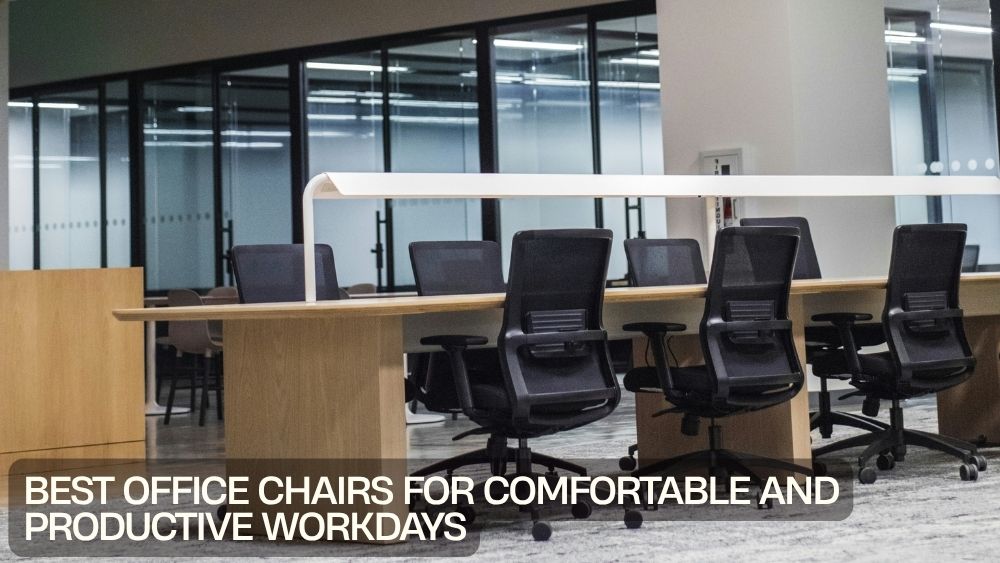
A workday can feel very different when your chair actually supports the way you work.
Whether you spend hours answering emails, building spreadsheets, attending video meetings, studying, designing, or managing projects, your office chair plays a major role in your workspace. The right chair can make your desk feel more inviting, your setup more organized, and long working sessions easier to manage.
Today’s office chairs come in a huge range of designs. You can find ergonomic office chairs, executive chairs, reclining models, armless designs, upholstered chairs, and options with features such as lumbar support, footrests, adjustable height, and even massage functions.
The challenge is choosing the one that fits your work style.
Why Your Office Chair Matters
Your desk may hold your computer, monitor, keyboard, and other essentials, but your chair is where you spend most of your working time.
An uncomfortable chair can quickly become a distraction. You may find yourself constantly shifting positions, taking unnecessary breaks, or struggling to settle into your workspace.
A well-chosen chair creates a more comfortable foundation for your day.
For anyone building a better workstation, exploring a dedicated office chair collection is a useful starting point. Different designs suit different rooms, working habits, and personal preferences.
Look for Comfort First
Comfort should be high on your checklist when choosing an office chair.
That does not mean selecting the softest chair you can find. A chair can feel wonderfully plush for five minutes and become less appealing several hours later.
Instead, consider the overall design.
Look at the seat, backrest, padding, height, armrests, movement, and support. Think about how the chair feels when you sit upright and when you work for extended periods.
For long workdays, balanced cushioning and supportive construction can make a noticeable difference.
Consider Ergonomic Office Chairs
Ergonomic office chairs are designed around the needs of people who spend substantial time at a desk.
Useful ergonomic features can include adjustable height, supportive backrests, lumbar support, tilt functions, armrests, and smooth mobility.
The goal is to create a chair that works with your body and your workstation rather than forcing you to adapt to an awkward position.
A good setup should allow your feet to rest comfortably, your screen to sit at a practical viewing height, and your arms to reach your keyboard and mouse without unnecessary strain.
An adjustable chair gives you more control over these relationships.
Adjustable Height Makes a Difference
Desk and chair heights need to work together.
If your chair sits too low, your desk may feel uncomfortably high. If it sits too high, your feet may struggle to rest comfortably on the floor.
Adjustable office chairs allow you to find a more suitable sitting height for your desk.
This feature is particularly useful when several people share a workspace or when you switch between different desks.
It is a simple adjustment, but it can have a big impact on how naturally your entire workstation comes together.
Think About Lumbar Support
Back support is another important consideration for people who work long hours.
Office chairs with lumbar support are designed to provide additional support around the lower back. The exact feel and design can vary considerably between models, so pay attention to the chair's backrest shape and adjustability.
The 400 lbs Massage Office Chair combines an executive-style design with lumbar support, a footrest, and a vibration massage function.

Features like these can appeal to users looking for a more feature-rich office setup.
However, no chair should replace good working habits. Regular movement, appropriate desk positioning, and breaks remain important during long periods of sitting.
Choose a Chair That Matches Your Work Style
Your daily tasks should influence your chair choice.
If you spend most of your day typing and working at a computer, adjustability and support may be your top priorities.
If your work involves frequent meetings or reading, you may prefer a chair with a comfortable backrest and reclining capability.
If your workspace doubles as a dressing or creative area, style may become more important.
There is no universal winner. The best office chair is the one that suits how you actually use your workspace.
Explore Reclining Office Chairs
Sometimes you want to lean back.
A reclining office chair can provide additional flexibility during breaks, reading, video calls, or moments when you want to change position.
The Reclining Office Chair with Footrest features a high-back design, footrest, swivel wheels, and reclining functionality.

A footrest can also give you another way to relax during breaks.
When considering a reclining model, check how much space it needs behind the chair. A chair that reclines comfortably needs enough room to move without hitting a wall, cabinet, or other furniture.
Don't Ignore Your Workspace Size
A chair should fit your room as well as your body.
Large executive chairs can create a dramatic presence in a spacious office, but they may overwhelm a small workspace.
For compact desks or multipurpose rooms, an armless office chair can provide a cleaner footprint.
The Armless Office Chair features an armless design, adjustable height, swivel movement, and wheels.

Its smaller visual profile can work well when you want your workspace to feel open.
Style Matters Too
Function is important, but there is no rule saying your office chair has to look boring.
Modern office chairs are available in a wide range of colors, materials, silhouettes, and finishes.
Velvet upholstery can add softness and personality. PU leather can create a more executive appearance. Minimalist armless designs can produce a lighter visual effect.
For home offices, this matters even more because your workspace may sit inside a bedroom, living room, or other part of your home.
Your chair can become part of the interior rather than looking like a piece of equipment that wandered into the room.
Add Personality with Upholstery
If you want stylish office furniture, upholstery can completely change the character of a workspace.
The Vinsetto Ergonomic Swivel Chair combines plush velvet upholstery with a scalloped backrest and 360-degree mobility.

A chair like this can suit a home office where comfort and decorative appeal need to coexist.
For modern interiors, look at how the chair's material and color interact with your desk, flooring, lighting, and surrounding furniture.
Consider Massage Features
Some office chairs go beyond traditional seating.
Massage office chairs can include vibration functions designed to add another layer of comfort during your workday or breaks.
The 7-Point Vibrating Massage Chair combines reclining functionality, adjustable height, a footrest, and vibration massage features.

These features may appeal to users who want a more relaxing workstation experience.
Still, treat massage functions as an extra feature rather than the main reason to choose a chair. The chair should first fit your workspace and provide the basic support and adjustability you need.
Think About Mobility
A swivel base and smooth-rolling casters can make moving around your workstation much easier.
You may need to switch between your monitor, printer, filing cabinet, shelves, or another nearby surface without repeatedly standing up.
360-degree mobility is particularly useful in larger workstations.
However, mobility should not come at the expense of stability. Check that the chair feels secure when you move and that the casters are suitable for your flooring.
Consider the Chair's Weight Capacity
Weight capacity is an important specification to check before purchasing.
Choose a chair that comfortably supports your intended use rather than selecting one based solely on appearance.
The product specifications should clearly indicate the recommended weight capacity where applicable.
A properly matched chair can provide greater confidence and help ensure that its components are being used within their intended limits.
Think About Long Working Hours
If you regularly work for six, eight, or more hours at a desk, small design details become much more noticeable.
For long working hours, pay particular attention to:
- Seat comfort
- Backrest support
- Lumbar support
- Adjustable height
- Reclining functionality
- Armrest positioning
- Seat depth
- Mobility
- Breathable or suitable upholstery
- Overall stability
You do not necessarily need every feature. Focus on the ones that address your specific working habits.
Build a Better Desk Setup
Even the best office chair cannot fix a poorly arranged workspace.
Think about your complete workstation.
Your monitor should sit at a comfortable viewing position. Your keyboard and mouse should be easy to reach. Frequently used items should stay within convenient range.
Your chair should then connect everything together.
When your desk, monitor, chair, and accessories work as a single system, your workspace becomes easier to use throughout the day.
Office Chairs for Home Workspaces
Home offices often require more flexibility than traditional corporate spaces.
Your office may also be your guest room, bedroom corner, living room, or creative studio. That means your chair needs to perform well without dominating the room.
Stylish office chairs can help bridge the gap between office furniture and home decor.
Look for a design that supports your work while complementing your existing furniture.
A velvet chair may suit a softer interior. A black executive chair may work well in a more professional room. An armless chair can make a compact workspace feel less crowded.
Match the Chair to Your Desk
Before purchasing, check the relationship between your chair and desk.
Measure the desk height and consider how much space you have beneath it.
If your desk has drawers, shelves, or a fixed structure underneath, make sure the chair can slide into the available space.
Adjustable height is particularly helpful here.
The objective is to create a natural working position without forcing your shoulders, arms, or legs into awkward angles.
Don't Forget the Floor
Your flooring can influence how easily your office chair moves.
Wheels can roll differently on hardwood, tile, laminate, and carpet. If you have a delicate floor surface, consider whether you need a protective mat underneath the chair.
A stable rolling surface can make movement smoother while helping protect the floor.
This small detail can become surprisingly important once you spend every day at the desk.
Create a More Productive Environment
Comfort and productivity are closely connected, but your chair is only one piece of the puzzle.
Keep your desk organized. Reduce unnecessary clutter. Place essential equipment within easy reach. Use appropriate lighting and maintain a comfortable room environment.
A clean workstation can make it easier to focus.
Your chair then provides the physical foundation for the setup.
Think of your entire workspace as a system. When each element has a purpose, work becomes less distracting.
How to Choose the Right Office Chair
Before making your final choice, run through this quick checklist:
1. Measure your space.
Make sure the chair fits comfortably around your desk.
2. Check adjustability.
Look for height and other adjustments that suit your workstation.
3. Evaluate support.
Consider the backrest, lumbar area, seat, and arm positioning.
4. Match your work habits.
Choose features based on how many hours you spend working and what you do.
5. Consider mobility.
Swivel movement and casters can improve workstation flexibility.
6. Think about style.
Choose materials and colors that work with your room.
7. Check specifications.
Review dimensions, weight capacity, materials, and functions before buying.
8. Prioritize useful features.
Do not pay extra for features you will never use.
Final Thoughts
The best office chairs for comfortable and productive workdays are not defined by one universal design.
Some people need ergonomic adjustability. Others prefer executive styling, reclining functionality, extra cushioning, armless construction, or specialized features such as massage functions.
Your ideal choice depends on your workspace, working hours, desk height, room size, comfort preferences, and personal style.
Explore the TotalFindz office chairs collection and compare different designs before choosing your next workstation upgrade.
A better chair will not magically finish your to-do list. It can, however, create a workspace that feels more comfortable, organized, and ready for the hours ahead. And sometimes, that is exactly the upgrade your workday needs.