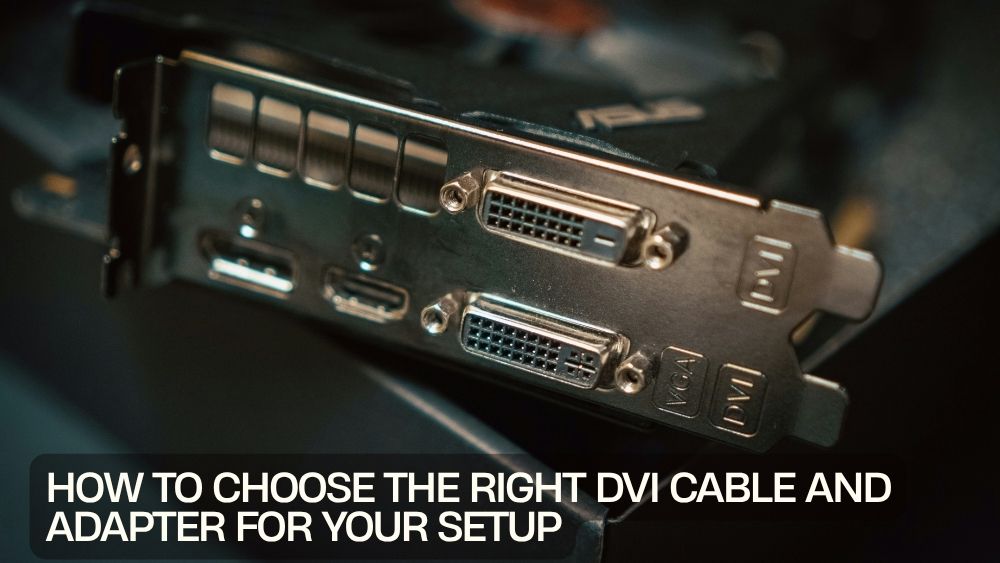
Connecting your computer to a monitor, projector, or display shouldn't be complicated. Whether you're upgrading your workstation, adding a second monitor, or connecting legacy hardware to modern devices, selecting the right DVI cable or DVI adapter ensures reliable video performance and a hassle-free setup.
Although newer display standards like HDMI and DisplayPort are widely used today, DVI remains a dependable choice for many desktop monitors, office computers, gaming systems, and professional workstations. Understanding the differences between DVI cable types and adapter options helps you avoid compatibility issues while getting the best possible image quality.
In this guide, we'll explain everything you need to know about choosing the ideal DVI cable and adapter for your specific setup.
Why DVI Still Matters
Digital Visual Interface (DVI) has been a trusted display connection standard for years. Many monitors, graphics cards, and business computers continue to rely on DVI because it delivers stable digital video signals with excellent image clarity.
Benefits of using a DVI cable include:
- Reliable digital video transmission
- Crisp, high-quality images
- Wide compatibility with older monitors
- Stable monitor connections
- Easy installation
- Cost-effective display upgrades
For users with existing DVI equipment, upgrading with compatible adapters is often more affordable than replacing an entire display.
Explore DVI Cables and Adapters
Looking for dependable display connectivity solutions?
👉 Explore DVI Cable and Adapter Collection
The collection includes DVI adapters, DisplayPort converters, Mini DisplayPort cables, and other display accessories designed for home, office, and professional use.
Understanding Different DVI Cable Types
Not all DVI connections are the same. Selecting the correct cable depends on your monitor's supported resolution and your computer's video output.
Single Link DVI Cable
A single link DVI cable is suitable for standard HD displays and everyday computing.
Ideal for:
- Office computers
- Home workstations
- Standard HD monitors
- Everyday productivity
Single-link cables provide excellent performance for most general applications.
Dual Link DVI Cable
A dual link DVI cable supports higher resolutions and refresh rates by transmitting additional digital data.
Recommended for:
- High-resolution monitors
- Professional design work
- CAD applications
- Gaming displays
If your monitor supports resolutions above 1920×1200, a dual-link cable may be the better choice.
Choosing the Best DVI Cable
The best DVI cable depends on several factors.
Consider:
Supported Resolution
Higher-resolution monitors benefit from dual-link connections.
Cable Length
Choose only the length you need to maintain signal quality while reducing cable clutter.
Build Quality
Quality connectors and durable cable construction improve long-term reliability.
Device Compatibility
Always verify the connector type supported by both your computer and monitor.
When You Need a DVI Adapter
Many modern computers no longer include DVI outputs. Fortunately, adapters make it easy to connect different display standards.
Common adapter types include:
- DisplayPort to DVI
- Mini DisplayPort to DVI
- DVI to HDMI
- DVI to VGA
These solutions help extend the life of existing monitors without expensive upgrades.
DVI to HDMI Adapter
A DVI to HDMI adapter allows digital video devices with different connector types to work together.
It's useful for connecting:
- Desktop computers
- Monitors
- HDTVs
- Projectors
Because both interfaces support digital video, image quality remains excellent for compatible devices.
DVI to VGA Adapter
Older displays may still require analog VGA connections.
A DVI to VGA adapter can help connect compatible systems when upgrading equipment while keeping legacy monitors in service.
This solution is often found in:
- Educational institutions
- Office environments
- Industrial workstations
Always verify whether your DVI port supports analog output before purchasing a VGA adapter.
DVI to DisplayPort Adapter
As DisplayPort becomes increasingly common, many users need a DVI to DisplayPort adapter or the reverse connection depending on their equipment.
DisplayPort solutions provide compatibility between modern graphics cards and DVI-equipped monitors while maintaining excellent display quality.
DisplayPort to DVI Solutions
Modern graphics cards frequently use DisplayPort outputs instead of DVI.
One excellent option is:
👉 DisplayPort to DVI Active Dual Link Adapter

This active adapter supports resolutions up to 2560×1600, making it suitable for demanding professional and productivity applications.
For Full HD displays, consider:
👉 DisplayPort to DVI Adapter 1080P

Its compact design provides an easy way to connect DisplayPort-equipped computers to DVI monitors.
Mini DisplayPort to DVI Cables
Many laptops and older Apple computers feature Mini DisplayPort outputs.
A reliable solution is:
👉 Mini DisplayPort to DVI Cable

This cable provides direct video connectivity for compatible displays without requiring additional adapters.
If you need extra reach, consider:
👉 6ft Mini DisplayPort to DVI Cable

Its extended length offers greater flexibility for desk layouts and multi-monitor setups.
A Versatile Travel Display Adapter
Professionals who frequently work with different display types often benefit from carrying a universal adapter.
An excellent travel companion is:
👉 3-in-1 Mini DisplayPort to VGA, DVI, or HDMI Adapter

This compact adapter supports multiple display standards, making it ideal for business travel, presentations, classrooms, and conference rooms.
Choosing the Right Monitor Connection Cable
Selecting the correct monitor connection cable depends on your equipment.
Ask yourself:
- Which output does my computer use?
- Which input does my monitor support?
- What resolution do I need?
- Do I require an active or passive adapter?
- Will I use multiple displays?
Answering these questions helps ensure compatibility before making a purchase.
Common Uses for DVI Cables
A dependable PC display cable remains useful in many environments, including:
Home Offices
Connect desktop computers to external monitors for increased productivity.
Business Workstations
Maintain compatibility with professional office displays.
Educational Facilities
Support existing classroom monitors and presentation equipment.
Graphic Design
Connect high-resolution displays for detailed visual work.
Gaming Setups
Use compatible monitors for smooth and stable video performance.
Tips for Buying a Video Display Adapter
When selecting a video display adapter, keep these recommendations in mind:
- Verify connector compatibility
- Match your monitor's maximum resolution
- Choose quality construction
- Select certified adapters for reliable performance
- Purchase only the cable length you require
A compatible adapter minimizes connection problems and ensures stable video output.
Final Thoughts
Choosing the right DVI cable and adapter doesn't have to be difficult. By understanding your device connections, display resolution requirements, and compatibility needs, you can easily select the ideal solution for your home, office, or professional workstation.
Whether you need a dual link DVI cable, a DVI to HDMI adapter, a DVI monitor cable, or a versatile video display adapter, investing in quality connectivity products helps ensure sharp visuals, dependable performance, and seamless compatibility with your display equipment.