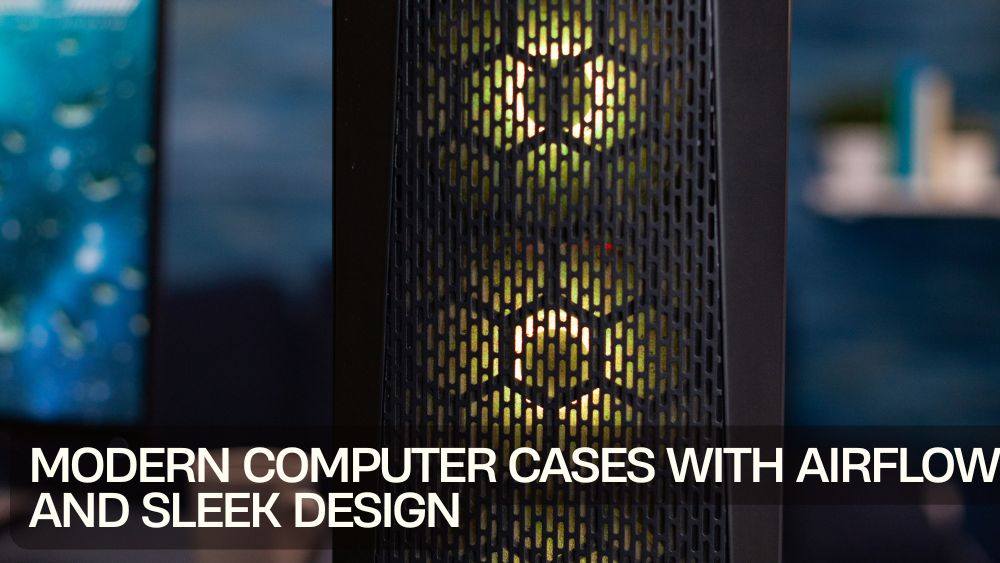
A powerful PC deserves a home that performs as well as the hardware inside it. Today’s modern computer cases do far more than hold components. They improve airflow, reduce clutter, support upgrades, and bring clean aesthetics to your desk setup.
Whether you are building a gaming rig, workstation, or everyday desktop, choosing the right case matters. The best computer cases with airflow keep temperatures lower, components happier, and performance more stable. At the same time, sleek panels, tempered glass, and modern finishes give your setup serious style.
Explore premium options in this collection of modern computer cases built for cooling and clean design.
Why the Right Computer Case Matters
Many builders focus on CPUs and GPUs first, but the case shapes the entire experience. A poor case can restrict airflow, create cable chaos, and limit future upgrades.
A quality case provides:
- Better cooling
- Cleaner cable routing
- Easier upgrades
- Lower noise potential
- Stronger component support
- Better desk aesthetics
Think of it as architecture for performance.
Computer Cases with Airflow for Cooler Performance
Heat is the silent tax on performance. Computer cases with airflow help move fresh air through the system and remove hot air efficiently.
Look for:
- Mesh front panels
- Multiple fan mounts
- Open internal layouts
- Top exhaust support
- Dust filters
Cool systems usually live longer and louder systems often started hot.
Sleek Design Computer Cases for Modern Setups
A PC case now doubles as room décor. Sleek design computer cases feature sharp lines, minimal branding, and polished finishes that look at home in offices, studios, and gaming rooms.
Choose styles with:
- Matte black or white finishes
- Clean front panels
- Hidden cable channels
- Tempered glass side panels
Your desk notices everything.
Airflow PC Cases for Gamers
Gaming pushes hardware hard. Airflow PC cases help graphics cards and processors stay cooler during long sessions.
This high-performance airflow pc cases model includes four fans and wide compatibility for modern builds.

Frames win games, and cooling helps frames stay loyal.
Modern PC Tower Cases for Builders
Builders want flexibility. Modern PC tower cases provide space for GPUs, radiators, SSDs, and future upgrades while maintaining a neat internal layout.
Tower options include:
- Mid tower for balanced builds
- Full tower for maximum expansion
- Compact towers for smaller desks
Choose the footprint that matches your ambitions.
Stylish Computer Cases with Tempered Glass
Nothing says custom build like a visible interior. Stylish computer cases with tempered glass let you showcase RGB lighting, cable management, and premium components.
This sleek tempered glass computer cases case includes ARGB fans for bold visual impact.

Sometimes performance likes applause.
Gaming Computer Cases Built for Power
Dedicated gamers often need extra airflow, space, and aesthetics. Gaming computer cases support larger GPUs, liquid cooling, and multiple fans.
Popular gaming features include:
- RGB lighting support
- Vertical GPU space
- Fan hubs
- Dust filtration
- Tempered glass windows
The arena starts at the case.
Mid Tower Computer Cases for Most Users
For many builds, mid tower computer cases offer the sweet spot between size and compatibility. They fit most ATX motherboards while saving desk space.
This versatile mid tower computer cases option balances airflow, footprint, and builder convenience.

Mid towers are the diplomats of PC hardware.
Full Tower Computer Cases for Maximum Space
Need room for large radiators, multiple drives, or oversized GPUs? Full tower computer cases give you breathing room for premium builds.
This powerful full tower computer cases case supports E-ATX motherboards and expanded cooling setups.

Sometimes more room means fewer compromises.
RGB Computer Cases for Bold Style
Lighting has become part of PC culture. RGB computer cases turn desktops into visual centerpieces with customizable color effects.
Great for:
- Gaming rooms
- Streaming setups
- Creator desks
- Custom builds
If your frame rate glows, nobody complains.
High Airflow PC Cases for Intensive Loads
Heavy workloads such as gaming, rendering, and editing create heat quickly. High airflow pc cases with mesh fronts and multiple fans help maintain steady thermals.
Cooling is cheaper than replacing overheated parts.
Cable Management Computer Cases
Messy cables hurt airflow and aesthetics. Cable management computer cases include routing channels, tie points, and rear clearance for cleaner builds.
Benefits include:
- Better airflow
- Easier upgrades
- Cleaner appearance
- Faster maintenance
Order is underrated until you build once without it.
Quiet Computer Cases for Workspaces
Not every setup wants drama. Quiet computer cases focus on efficient airflow, vibration reduction, and smoother fan operation for calmer rooms.
Perfect for:
- Offices
- Studios
- Bedrooms
- Productivity builds
Silence can feel premium.
Premium Computer Cases for Custom Builds
If you build once and keep it for years, premium quality matters. Premium computer cases offer thicker panels, refined finishes, and superior layouts.
This advanced custom build computer cases dual-chamber design separates heat zones for cleaner airflow paths.

Great cases think ahead.
Trends for 2026
Popular modern gaming pc cases include:
- Dual chamber layouts
- Mesh front airflow panels
- Hidden PSU shrouds
- Panoramic glass windows
- Pre-installed ARGB fans
- Tool-less side panels
The future of PC cases is cool in every sense.
How to Choose the Right Case
Need Compact Balance?
Choose mid tower.
Need Maximum Upgrades?
Choose full tower.
Need Cooling First?
Choose mesh airflow designs.
Need Style?
Choose tempered glass with RGB.
Need Quiet Productivity?
Choose efficient low-noise layouts.
Choose the case that fits your workflow, not just your motherboard.
Final Thoughts
The best modern computer cases combine cooling, clean design, and upgrade flexibility. Whether you need computer cases with airflow, gaming computer cases, mid tower computer cases, or premium computer cases, the right chassis improves both performance and experience.
Great hardware deserves a better address.