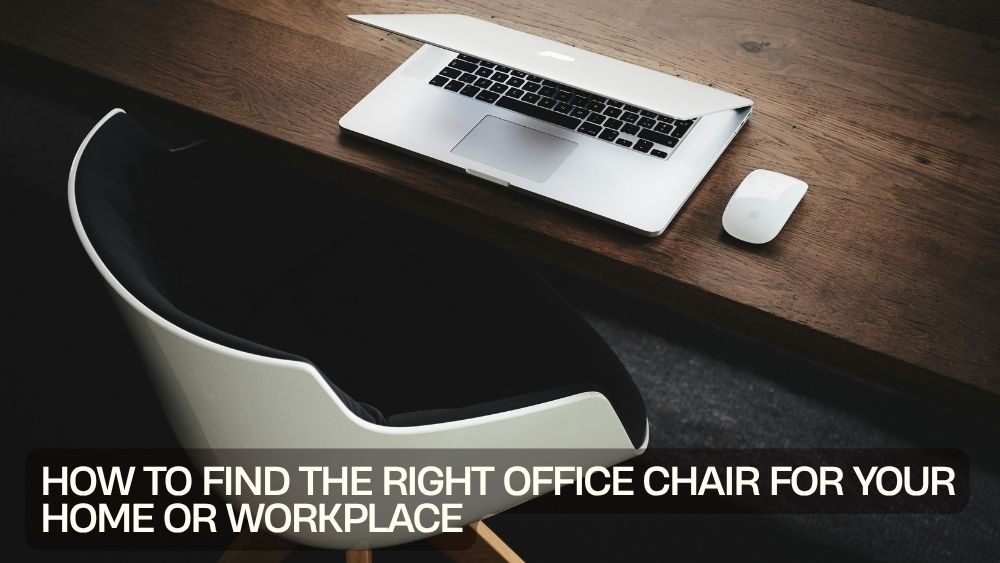
The right office chair can change the way your workspace feels.
A good chair supports your daily routine, complements your desk, and helps you stay comfortable while you work, study, create, or manage meetings. The wrong one can quickly turn a productive morning into a constant search for a better sitting position.
That is why choosing an office chair should involve more than picking the nicest-looking design.
You need to think about comfort, adjustability, support, size, materials, movement, and how you actually use your workspace.
Whether you need the best office chair for home, a professional desk chair, or a flexible seating solution for a busy workplace, this guide will help you make a smarter choice.
You can also explore the office chair collection to compare different seating styles for home offices, professional workspaces, study areas, and more.
Start With How You Work
Before comparing office chair features, consider your daily routine.
Do you spend eight hours at a desk?
Do you move between different tasks?
Do you work from home?
Do you regularly attend virtual meetings?
Do you need a chair for occasional use rather than full-time work?
Your answers will influence the type of chair you need.
Someone working at a desk for several hours each day may prioritize ergonomic support and adjustability.
Someone using a chair occasionally may care more about style, size, and versatility.
The best office chair is not necessarily the chair with the longest feature list. It is the chair that matches your working habits.
Consider Comfort First
Comfort should sit near the top of your checklist.
An uncomfortable chair can become distracting very quickly.
Look for a seat that provides enough room without being unnecessarily bulky. The padding should feel supportive rather than excessively soft.
Seat height also matters.
Your feet should be able to rest comfortably on the floor while your knees remain in a natural position.
If you share a workspace with other people, an adjustable chair can make it easier to accommodate different users.
Look for Adjustable Office Chairs
Adjustable office chairs offer greater flexibility because you can change important elements to suit your body and desk.
Common adjustments include:
- Seat height
- Backrest position
- Recline angle
- Armrest height
- Tilt tension
- Headrest position
- Lumbar support
Not every chair needs every adjustment.
However, having the ability to modify the chair can make a meaningful difference when you spend long periods working.
A chair that adjusts easily also gives you more freedom to change your sitting position throughout the day.
Understand Ergonomic Office Chairs
Ergonomic office chairs focus on supporting comfortable working positions.
Good ergonomic design typically considers the relationship between your seat, backrest, arm position, desk, and monitor.
A supportive backrest can help you maintain a comfortable posture.
Lumbar support can provide additional lower-back support.
A suitable seat height can help your feet rest properly.
Armrests can reduce unnecessary strain on your shoulders when positioned correctly.
Ergonomics is not about forcing your body into one rigid position.
It is about creating a workspace that allows comfortable movement and sensible alignment.
Choose a Chair for Long Hours
If you need office chairs for long hours, comfort becomes even more important.
A chair that feels fine for 30 minutes may not feel the same after an entire workday.
Look for:
- Supportive cushioning
- Breathable or suitable upholstery
- Adjustable height
- Comfortable back support
- Stable construction
- Smooth movement
- Appropriate seat depth
You should also avoid staying in one position for too long.
Even the best chair cannot replace regular movement.
Stand up, stretch, walk around, and change positions throughout the day.
Think About Lumbar Support
Lower-back support is an important feature when evaluating office chairs.
A chair with built-in lumbar support can provide additional support around the lower portion of your back.
Some executive-style chairs also combine lumbar support with reclining functions.
For example, a high-capacity executive office chair with lumbar support and footrest offers multiple comfort-oriented features for home and office use.

When choosing lumbar support, consider whether its position feels appropriate for you.
Support should feel comfortable rather than intrusive.
Consider Your Desk Height
Your office chair and desk need to work together.
A chair that is perfect on its own can still feel uncomfortable if the desk is too high or too low.
Ideally, your chair should allow you to sit comfortably while keeping your arms in a natural position when using your keyboard or writing.
If your chair has adjustable height, you have more flexibility.
Check your entire workstation rather than judging the chair in isolation.
Your chair, desk, monitor, keyboard, and mouse all form one system.
Think About Armrests
Armrests can improve comfort, particularly during computer work.
They can provide a place to rest your arms while reducing the need to hold your shoulders in a raised position.
However, armrests can also become inconvenient if they prevent your chair from moving close enough to your desk.
Adjustable armrests offer more flexibility.
If you prefer freedom of movement, an armless chair may be a better option.
Consider an Armless Office Chair
An armless office chair can be surprisingly practical.
It provides more freedom around the desk and can slide easily underneath many work surfaces.
This makes armless chairs useful for compact home offices, study spaces, dressing areas, and flexible workstations.
A criss-cross armless office chair with adjustable height and tilt combines a compact silhouette with adjustable functionality.

It can also create a cleaner visual appearance in minimalist workspaces.
Match the Chair to Your Space
Size matters.
A large executive chair can look impressive in a spacious office but overwhelm a compact bedroom workspace.
Similarly, a very small chair may look out of place in a large professional office.
Measure your available space before buying.
Consider:
- Desk width
- Available floor space
- Chair depth
- Clearance behind the chair
- Nearby furniture
- Doorways and walkways
Remember that you need room to move the chair backward and forward.
A workspace should feel functional, not like a game of furniture Tetris.
Choose the Right Upholstery
Office chairs come in many materials.
Fabric can offer a softer, more casual appearance.
Mesh can provide an airy feel.
Faux leather or PU leather can create a polished executive look and can be relatively easy to clean.
Velvet can add a decorative touch to a home office.
For example, a velvet ergonomic swivel office chair with scalloped backrest brings a more decorative look to a workspace while providing 360-degree mobility.

Your choice should reflect both your comfort preferences and the environment.
Think About Office Chair Style
Function matters, but appearance matters too.
Your office chair is part of the room.
Modern workspaces often benefit from clean silhouettes and neutral finishes.
Home offices can support more decorative designs.
A professional office may call for a polished executive aesthetic.
There is no rule saying an ergonomic chair must look boring.
Today's stylish office chairs can combine practical features with attractive designs.
Choose something that complements your existing desk and furniture rather than competing with them.
Consider a High-Back Executive Chair
If you want a more substantial seating experience, consider a high-back design.
A high-back chair can provide additional support across the upper back and may include features such as reclining functions, lumbar support, headrests, or footrests.
A high-back vibrating massage office chair with reclining back offers a feature-rich approach to home-office seating.

These larger chairs generally work best when you have enough space around the desk.
Think About Mobility
A swivel base and rolling casters can make an office chair much easier to use.
You can rotate between different parts of your desk without repeatedly standing up.
Smooth wheels can help you move around the workspace.
However, mobility should not come at the expense of stability.
Make sure the chair feels secure when you sit down, lean back, or move across the floor.
Also consider your flooring.
Some casters may perform differently on carpet, hardwood, tile, or other surfaces.
Consider a Chair for Smaller Workspaces
Small home offices need smart furniture choices.
A bulky chair can consume valuable floor space.
Look for compact designs that provide the comfort you need without unnecessary bulk.
An armless chair can be particularly useful.
A fluffy armless computer desk chair with adjustable height and swivel wheels offers a compact profile while adding a softer decorative style.

Measure before buying so you know exactly how much space the chair will occupy.
Think Beyond Traditional Desk Chairs
Not every workspace needs a conventional office chair.
Some tasks may benefit from specialized seating.
For example, a saddle stool can work well in environments where users frequently move around or need a different seating position.
A height-adjustable rolling saddle stool provides a different approach to workspace seating and can be useful for suitable professional or creative environments.

Think about your specific tasks before deciding what type of chair makes sense.
Choose Based on Your Home Office Needs
A best office chair for home should work with the reality of your home.
You may be working from a bedroom, living room, dedicated office, or multipurpose space.
That means appearance and size can matter more than they would in a large corporate office.
You may also want a chair that looks good when your workspace is visible during video calls.
A compact, stylish chair can help maintain a clean room aesthetic while still providing everyday functionality.
Choose Based on Workplace Requirements
A professional workspace may have different priorities.
You may need multiple chairs with consistent designs.
Durability can become more important when chairs receive heavy daily use.
Easy cleaning can also matter in shared environments.
If several employees use the same workspace, adjustability becomes particularly useful.
Look for chairs that can accommodate different users while fitting naturally beneath the existing desks.
Check the Weight Capacity
Weight capacity is an important specification that should never be ignored.
Always check the manufacturer's recommended weight limit before purchasing.
For example, some executive chairs are designed with higher weight capacities for additional support.
Do not assume that a larger chair automatically supports more weight.
Use the manufacturer's specifications as your guide.
Consider Reclining Features
Reclining can provide flexibility when you want to change your position.
A reclining backrest can be useful during reading, calls, brainstorming sessions, or short breaks.
However, reclining is not necessary for everyone.
If your main goal is focused computer work, you may prioritize an upright, supportive position instead.
Choose features based on how you work rather than selecting every available option.
Look for Practical Features
Small features can make an office chair more convenient.
Depending on your needs, consider:
- Adjustable height
- Tilt function
- Reclining backrest
- Lumbar support
- Footrest
- Swivel movement
- Rolling casters
- Padded seat
- Breathable upholstery
- Adjustable armrests
You do not need every feature.
The ideal combination depends on your routine.
Avoid Choosing a Chair Based Only on Appearance
A beautiful chair can still be uncomfortable.
Likewise, a highly functional chair may not suit your room.
Try to balance both.
Ask yourself:
Does it look right?
Does it feel supportive?
Does it fit my desk?
Does it fit my available space?
Does it offer the adjustments I actually need?
Is it designed for my expected usage?
These questions can quickly eliminate unsuitable options.
Build a More Productive Workspace
Your chair plays an important role in your workspace, but it is only one part of the setup.
Pair it with an appropriately sized desk.
Position your monitor at a comfortable viewing height.
Keep your keyboard and mouse within easy reach.
Manage cables to reduce clutter.
Use adequate lighting.
Keep frequently used items nearby.
A well-planned environment can make it easier to focus and stay comfortable.
Your chair becomes the foundation of that setup.
Keep Your Chair Maintained
Even quality office furniture needs basic care.
Regularly check the wheels, base, adjustment mechanisms, and visible hardware.
Clean upholstery according to the manufacturer's instructions.
Avoid using harsh cleaning products unless they are specifically recommended.
If the chair develops unusual movement, loose components, or other signs of damage, inspect it before continued use.
Maintenance can help keep your workspace furniture functional and attractive for longer.
Final Thoughts
Finding the right office chair is about matching the chair to the person, workspace, and workload.
If you work long hours, focus on comfort and supportive features.
If space is limited, consider an armless or compact design.
If appearance matters, choose an office chair that complements your interior.
If flexibility is important, look for adjustable features and smooth mobility.
A velvet ergonomic swivel chair can bring decorative style to a home workspace.
A high-capacity executive chair with lumbar support can suit users looking for a more substantial seating design.
A reclining high-back office chair offers additional comfort-oriented features.
For smaller workspaces, an adjustable armless office chair can provide flexibility without taking over the room.
And if you need a different type of professional seating, an adjustable rolling saddle stool offers an alternative to traditional desk chairs.
The goal is simple: create a workspace where your chair supports the way you work rather than getting in the way.
Explore the office chairs collection to find seating options for home offices, professional workspaces, study areas, and everyday productivity.