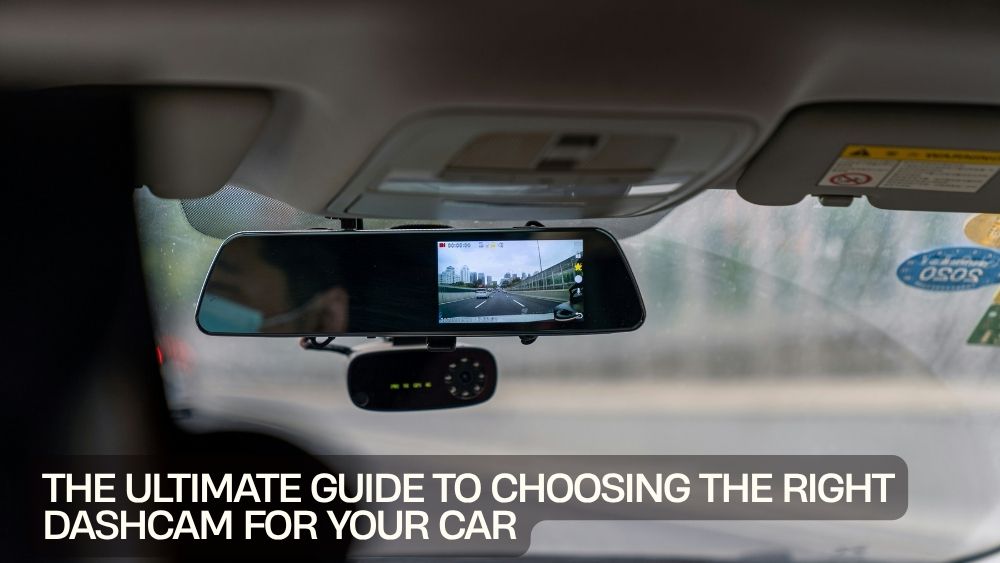
A dashcam has become more than a gadget tucked behind the windshield. It is a practical piece of car safety technology that can record your journeys, document unexpected incidents, and add another layer of awareness to everyday driving.
Whether you're commuting to work, heading out on a road trip, or simply want a reliable record of what's happening around your vehicle, choosing the right dashcam can make a difference.
But with so many options available, shopping for one can feel like navigating a parking lot with no painted lines.
Should you choose 1080p or 4K? Is front-only enough? Do you need night vision? What about parking mode, GPS, Wi-Fi, or loop recording?
This car dashcam buying guide breaks down the important features so you can find a camera that fits your vehicle, driving habits, and recording needs.
Why Install a Dashcam?
The primary job of a dashcam is simple: record what happens on the road.
A camera can capture traffic conditions, unexpected events, and other details that may be difficult to remember accurately after an incident. Continuous recording can also provide useful footage during road trips or everyday journeys.
For many drivers, a dashcam becomes part of their regular vehicle setup alongside navigation, phone charging, and other smart driving accessories.
The key is choosing a camera that records reliably without creating unnecessary complexity.
Start with Your Driving Habits
The best dashcam for your car depends on how you drive.
A daily commuter may want a compact camera with dependable recording and good night performance. Someone who frequently takes long road trips might prefer GPS, higher resolution, and front-and-rear coverage.
Drivers who regularly park outdoors may also find parking mode useful.
Before comparing models, consider:
- How often you drive
- Where you usually drive
- Whether you drive mostly during the day or night
- How frequently you take road trips
- Whether you want front and rear coverage
- Whether parking surveillance is important
- How much storage you need
Once you understand your priorities, the specifications become much easier to interpret.
Choose the Right Video Resolution
Resolution is one of the first specifications you'll notice.
A standard HD dashcam for clear recording can provide useful footage for everyday driving. Higher-resolution cameras can capture more detail, which may be beneficial when you want a sharper image.
A 4K dashcam for cars can provide even greater detail than lower-resolution options, although the higher resolution can also require more storage capacity.
Don't choose resolution in isolation.
Image quality also depends on the camera sensor, lens, processing, lighting conditions, and recording settings.
A well-designed camera with sensible features can be more useful than a specification sheet packed with impressive numbers.
1080p Still Has Its Place
Full HD 1080p remains a practical choice for many drivers.
For everyday commuting, basic documentation, and general road recording, 1080p can offer a useful balance between image quality and storage requirements.
The AZDOME M200 1080p front dash cam is an example of a front-facing dashcam designed around Full HD recording.

If your priority is straightforward recording rather than maximum resolution, 1080p can be a sensible starting point.
Is 4K Worth It?
If capturing fine details is a priority, stepping up to 4K can be attractive.
The LINGDU C34 5G WiFi GPS 4K dash cam combines 4K recording with additional cameras, GPS, Wi-Fi, and parking-mode functionality.

Higher resolution can be particularly appealing for drivers who spend significant time on highways or take frequent road trips.
However, remember that higher-resolution footage consumes more storage. Your dashcam storage and memory guide should therefore be considered alongside video resolution.
Consider Front and Rear Coverage
A front-facing camera records what happens ahead of you, but traffic doesn't only exist in front of your vehicle.
A front and rear dashcam can provide broader coverage by recording both directions.
The AZDOME M17 Pro offers front-and-rear recording in a dual-lens configuration.

This type of setup can be useful for drivers who want more comprehensive coverage than a single front camera provides.
Go Even Wider with Multi-Channel Cameras
Some drivers want coverage beyond the front and rear.
A multi-channel system can record several areas around the vehicle, providing a broader perspective.
The AZDOME M660 4-channel 360 dash cam uses four camera channels and includes built-in 128GB eMMC storage.

This can be attractive for drivers who want extensive vehicle coverage.
However, more cameras can mean more installation considerations. Think about your vehicle layout and whether you genuinely need additional viewpoints.
Don't Ignore Night Vision
Daylight recording is only half the story.
Your dashcam should also perform well when driving after sunset, in poorly lit streets, or in changing weather conditions.
A dashcam with night vision can help improve visibility in darker environments.
The AZDOME V600 includes super night vision and parking-mode support.

When comparing night performance, don't focus solely on marketing terminology. Look for information about the camera's actual low-light performance and sensor quality.
Parking Mode Can Be Useful
Your car spends plenty of time parked.
Parking mode allows compatible dashcams to monitor the vehicle while it's stationary, depending on the system and installation method.
This feature can be particularly useful for drivers who frequently park in public areas, busy parking lots, or on the street.
However, parking mode can involve additional power requirements. Some installations may require a compatible hardwire kit or another appropriate power solution.
Before using the feature, check the manufacturer's installation and power requirements.
Loop Recording Keeps Things Moving
A dashcam can quickly accumulate video files.
That's where loop recording comes in.
Instead of allowing the storage card to fill indefinitely, loop recording generally allows the camera to overwrite older footage as new footage is recorded.
Important or protected files can typically be preserved depending on the camera's features and settings.
This means you don't have to manually delete recordings after every drive.
For everyday driving, automatic storage management is one of those features that quietly makes a dashcam much easier to live with.
Think About GPS
GPS can add useful information to recorded footage.
A GPS-equipped camera may record location and speed information alongside video, depending on the model.
The LINGDU C34, for example, combines 4K recording with GPS and Wi-Fi connectivity.
For road-trip enthusiasts, GPS can also make recorded footage more informative by adding journey context.
If you rarely review location information, however, GPS may not be essential.
Wi-Fi and App Connectivity
Modern dashcams can also make footage easier to access.
Wi-Fi-enabled models may allow you to connect a smartphone to the camera and review or transfer recordings without removing the storage media.
This can be convenient when you need to check a particular clip quickly.
The AZDOME M17 Pro includes app-control functionality, giving drivers another way to interact with recorded footage.
If convenience matters to you, app connectivity is worth considering.
Storage Matters More Than You Think
A camera can record excellent video, but that footage needs somewhere to go.
When choosing your dashcam storage and memory, consider the recording resolution, number of cameras, recording duration, and available storage capacity.
Higher-resolution and multi-channel systems generally produce more data.
Some cameras use removable memory cards, while others may include built-in storage. The AZDOME M660, for example, comes with 128GB of eMMC storage.
Before buying, check the manufacturer's recommended storage specifications and supported capacity.
Look for a Wide-Angle Car Camera
A wide-angle car camera can capture more of the scene ahead of the vehicle.
This can be useful when recording multiple lanes or a broader section of the road.
However, extremely wide lenses can introduce distortion around the edges. Wider isn't automatically better.
The ideal field of view should provide useful coverage while maintaining a clear, natural image.
Consider the Camera's Size
A dashcam shouldn't unnecessarily obstruct your view.
A compact dashcam for vehicles can be easier to position discreetly behind the rear-view mirror or in another suitable location.
Before installation, check the camera's dimensions and mounting arrangement.
The goal is simple: record the road without becoming a distraction itself.
Check the Display
Some dashcams include built-in screens, while others rely heavily on smartphone apps.
A built-in display can make it easier to adjust settings, review clips, and check the camera's positioning.
For example, the AZDOME V600 features a 2.4-inch screen.
If you prefer a cleaner windshield area, an app-based camera may be more appealing. If immediate access to settings matters, a built-in display can be useful.
Think About G-Sensor Protection
Many dashcams include a G-sensor designed to detect sudden impacts or significant changes in motion.
When an event is detected, the camera may protect the associated recording from being overwritten through normal loop recording.
This feature can be useful because important footage shouldn't disappear simply because the storage system continues recording.
Check the individual camera's settings and instructions to understand how event protection works.
Choose Features You Will Actually Use
More features don't automatically mean a better dashcam.
A camera loaded with GPS, Wi-Fi, multiple lenses, parking mode, advanced driver assistance, and other functions may sound impressive. But if you only need reliable front recording, that extra complexity may not provide much value.
Start with your priorities.
For everyday driving, reliable recording, good image quality, loop recording, and night performance may be enough.
For road trips, GPS and higher resolution could become more appealing.
For parked vehicles, parking mode may move higher on your list.
For comprehensive coverage, consider front-and-rear or multi-channel systems.
Compare Before You Buy
A good dashcam buying guide should end with comparison rather than impulse.
Create a simple checklist based on your needs:
For everyday driving:
Prioritize reliable recording, compact design, and clear video.
For road trips:
Consider 4K resolution, GPS, larger storage, and broader coverage.
For nighttime driving:
Pay close attention to low-light performance and night vision.
For parked vehicles:
Look for parking mode and understand its power requirements.
For comprehensive coverage:
Consider front-and-rear or multi-channel systems.
For easy file access:
Look for Wi-Fi or app connectivity.
Explore Dashcam Options
Finding the right camera doesn't have to be complicated when you know what matters.
Explore the TotalFindz dashcam collection to compare options designed for different driving needs.
From compact 1080p cameras to advanced multi-channel systems, there are different ways to build a recording setup around your vehicle.
The right choice ultimately depends on your roads, routines, vehicle, and priorities.
Final Thoughts
A dashcam is a small piece of technology with a very practical job.
The best model isn't necessarily the one with the longest feature list or the biggest number printed on the box. It's the one that reliably captures the footage you need while fitting naturally into your driving routine.
Think about resolution, camera coverage, night performance, storage, parking mode, GPS, connectivity, and installation before making your decision.
Whether you're commuting every day or chasing the horizon on a road trip, the right car recording camera can become a valuable part of your vehicle setup.
Choose thoughtfully, install it correctly, keep your storage managed, and let the camera quietly do its job while you concentrate on the road ahead.