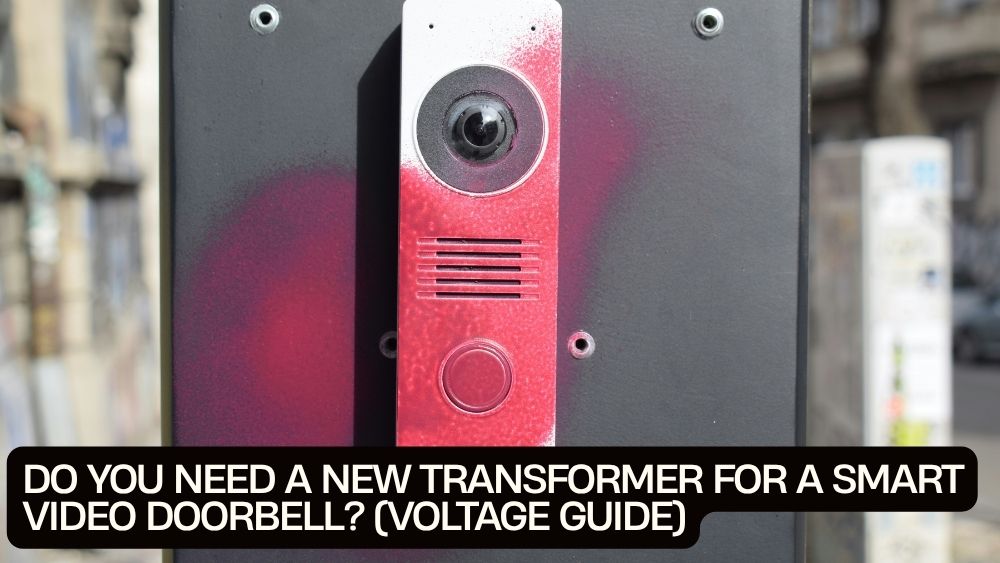
Your new smart video doorbell is mounted, your Wi-Fi is ready, and you're looking forward to seeing who's at the front door without leaving the couch. Then the installation guide mentions voltage, transformers, and wiring. Suddenly, a simple upgrade feels like an electrical engineering exam.
Before you buy a new transformer, take a breath. You may be able to use your existing doorbell power supply. The answer depends on your smart doorbell's power requirements, the voltage your transformer delivers, its power rating, and the condition of your existing wiring.
This guide explains the smart video doorbell hardwired voltage requirement, how to check your current transformer, and when replacing it makes sense. We'll also cover common power problems and what to know before installing the VStarcam DB6 video doorbell camera from TotalFindz.
1. What Voltage Does a Hardwired Smart Video Doorbell Need?
There is no single voltage requirement for every smart video doorbell. Different models use different power systems, so you should always check the manufacturer's specifications before connecting one to existing wires.
Many traditional doorbell systems use a transformer to reduce household AC voltage to a lower voltage suitable for the doorbell circuit. Depending on the model, a smart doorbell may require a specific AC voltage range, a DC power supply, or a rechargeable battery.
For example, Google's wired Nest Doorbells generally require 16–24 volts AC in North America, while certain Ring models support different voltage ranges depending on the product. These differences show why copying another brand's transformer specifications can lead to trouble.
The VStarcam Wi-Fi video doorbell documentation describes two power options: 8–24V AC or 5V USB power. However, confirm that these specifications apply to your exact DB6 version and follow its supplied instructions, particularly when using an existing indoor chime.
AC voltage vs. DC voltage
These terms describe two different types of electrical power:
-
AC (alternating current): Commonly used by traditional wired doorbell transformers.
-
DC (direct current): Used by USB power supplies and many electronic devices.
A doorbell designed for a particular AC input cannot automatically be powered by a DC adapter with a similar voltage number. The current type, connector, polarity where applicable, and power rating must all be compatible.
Never assume that a 12V supply is suitable simply because the label says 12V. Check whether the doorbell requires AC or DC and whether the supply falls within its specified range.
2. What Does a Doorbell Transformer Actually Do?
A doorbell transformer converts household electrical power into a lower-voltage supply for a compatible doorbell circuit.
Traditional doorbell buttons need relatively little power. Smart doorbells do more: they may run a camera, Wi-Fi connection, motion detection, a microphone, a speaker, and other electronic components.
These features can make power requirements more demanding than those of an older mechanical doorbell.
A transformer label typically includes two important figures:
-
Voltage (V): The nominal output voltage.
-
Volt-amperes (VA): The transformer's apparent power rating, which indicates how much electrical load it is designed to supply.
Think of voltage as the level of electrical pressure and VA as an indication of the supply's capacity. Both matter.
A transformer may provide voltage within the correct range but still be unsuitable if its VA rating falls below the doorbell manufacturer's requirements or if several devices share the same supply.
For example, Google's wired Nest Doorbell models listed for North America require 16–24V AC and 10–40VA. Those figures apply to the specified Nest models, not every smart doorbell on the market.
The rule is simple: match both the voltage and the power rating to your specific doorbell.
3. How to Check Whether Your Existing Transformer Is Compatible
Before purchasing a replacement, investigate your existing doorbell system. You may discover that the transformer already meets your new device's requirements.
Step 1: Find the transformer
In many North American homes, a doorbell transformer may be located near the electrical panel, inside or near the doorbell chime enclosure, or in another utility area. Its location varies by house.
Look for a small transformer with a label showing its output voltage and VA rating.
Do not remove electrical covers or touch exposed wiring to search for the label. If access requires working around mains-voltage wiring, ask a qualified electrician.
Step 2: Read the specifications
Look for markings such as:
-
Output voltage, for example, 16V AC or 24V AC.
-
Power rating, expressed in VA.
-
Any model or manufacturer identification that can help you locate the correct documentation.
Check the full label rather than relying on a number printed on the chime or doorbell button.
Step 3: Compare the rating with the doorbell manual
Confirm that the transformer's output voltage and VA rating fall within the doorbell's approved range.
Also check whether the existing indoor chime can remain connected. Some smart doorbells require a compatible chime adapter, a bypass arrangement, or a separate indoor chime. Others may not support a traditional chime at all.
Do not assume that a transformer is compatible just because the original doorbell worked correctly.
Step 4: Consider the condition of the wiring
Old, damaged, or poorly connected wiring can cause power problems even when the transformer appears suitable.
Long cable runs and undersized conductors can also cause voltage drop. If the device repeatedly loses power, reboots, or behaves inconsistently, the problem may not be the transformer alone.
If you cannot identify the supply confidently, have an electrician check it before installation.
4. Signs You Might Need a New Transformer
A transformer replacement may be necessary when the existing supply does not meet the smart doorbell's documented requirements. However, power symptoms can have several causes, so don't replace components without checking the basics.
Your doorbell keeps disconnecting
A camera that repeatedly drops offline may have a weak Wi-Fi signal, a software problem, or an unstable power supply.
Check the router's signal strength near the entrance first. If the doorbell also reboots or loses power, investigate the supply and wiring.
The doorbell restarts unexpectedly
Repeated restarts can occur when the device does not receive reliable power. A transformer with insufficient capacity, loose connections, or excessive voltage drop may be responsible.
Check the manufacturer's troubleshooting guidance before assuming the transformer has failed.
The camera works, but features behave inconsistently
A smart doorbell may appear functional while struggling during periods of higher power demand. The exact symptoms vary by model, so compare the device's behaviour with the manufacturer's troubleshooting instructions.
The existing transformer is outside the approved range
This is the clearest reason to consider an upgrade. If the voltage or VA rating does not meet the device's requirements, the existing transformer may not be suitable.
Use only a compatible replacement, and have a qualified electrician install it when required.
5. How to Tell Whether the Transformer Is the Real Problem
A new transformer isn't always the answer. A few basic checks can help narrow down the cause without putting you at risk.
| Symptom | Possible cause | First check |
|---|---|---|
| Doorbell will not power on | Incorrect supply, wiring fault, or incompatible device | Confirm power requirements and installation instructions |
| Doorbell repeatedly restarts | Insufficient power, loose wiring, or voltage drop | Review transformer rating and wiring condition |
| Video freezes or app disconnects | Weak Wi-Fi or unstable power | Test Wi-Fi signal and check for power-related restarts |
| Indoor chime does not ring | Chime incompatibility or incorrect wiring configuration | Check the doorbell's chime compatibility guide |
| Doorbell becomes unusually warm | Possible device or supply issue | Stop using it if overheating is suspected and contact support |
| Doorbell works intermittently | Loose connections, damaged wire, or inadequate supply | Have the wiring and supply checked safely |
These symptoms are clues, not definitive diagnoses. If the power rating checks out, investigate the wiring, Wi-Fi, chime configuration, and device settings before buying replacement parts.
6. Can You Install a Smart Doorbell Without Replacing the Transformer?
Yes, provided your existing supply meets the exact doorbell's requirements and the wiring and chime configuration are compatible.
There are several possible setups:
Existing wired transformer: If the output voltage and power rating meet the manufacturer's specifications, you may be able to reuse the existing transformer.
Compatible USB power: Some models support USB power as an alternative to traditional doorbell wiring. The VStarcam documentation describes a 5V USB option, but check the exact DB6 instructions to confirm how it should be used.
Battery-powered operation: Some smart doorbells include rechargeable batteries, allowing installation without a permanent low-voltage power connection. Availability and wired functionality vary by model.
An approved plug-in adapter: Certain manufacturers offer dedicated power adapters for supported doorbells. Use the specific adapter approved for your device rather than a generic supply with a matching voltage label.
Your choice depends on the doorbell's supported power options, your home's existing wiring, and whether you want to retain the indoor chime.
7. A Closer Look at the VStarcam DB6 Video Doorbell
If you're looking for a smart doorbell that combines video monitoring with two-way communication, the VStarcam DB6 Video Doorbell Camera with Indoor Chime is one option listed by TotalFindz.

The product listing highlights features including:
-
1080p HD video: Provides a clearer view of visitors than lower-resolution footage, although actual image quality also depends on lighting and installation.
-
Two-way audio: Lets you communicate with visitors through the supported app and device.
-
Motion detection: Helps alert you to activity around the entrance, depending on the model's settings and detection capabilities.
-
Wi-Fi connectivity: Supports remote access through the compatible system.
-
Indoor chime: Provides an indoor notification option when configured as supported.
Before purchasing, check the current product listing and included documentation for the precise power options, Wi-Fi compatibility, chime setup, and installation requirements.
Most importantly, don't buy a new transformer solely because you're installing a smart doorbell. First establish whether the DB6 version you have supports your existing supply and whether that supply meets its stated requirements.
8. Transformer Replacement Safety: What Homeowners Should Know
Doorbell wiring is generally low voltage on the doorbell side, but the transformer connects to household electrical power. That distinction matters.
A transformer replacement may involve working near mains-voltage wiring, which can cause electric shock, burns, or fire if handled incorrectly.
Keep these safety principles in mind:
-
Turn off the appropriate circuit at the breaker before any inspection or work involving wiring.
-
Do not rely on the doorbell button being inactive as proof that the circuit is safe.
-
Never connect a doorbell directly to household mains voltage.
-
Use a transformer specifically rated for the doorbell and its installation.
-
Do not exceed the device's approved voltage range.
-
Follow local electrical codes and manufacturer instructions.
-
Hire a qualified electrician if the transformer wiring, circuit identification, or installation procedure is uncertain.
In the United States and Canada, installation rules can vary by jurisdiction and building type. Check the applicable requirements before making electrical changes.
Frequently Asked Questions
What voltage does a hardwired smart video doorbell need?
It depends on the model. Some wired doorbells require 16–24V AC, while other products accept a wider AC range or use a compatible DC supply. Always check the exact product's power specifications.
How do I know if my doorbell transformer is too weak?
Compare its voltage and VA rating with the manufacturer's requirements. Repeated restarts, power interruptions, or chime problems may indicate a supply issue, but wiring faults and other problems can cause similar symptoms.
Can I use a 24V transformer for any smart doorbell?
No. A 24V supply is suitable only if the specific doorbell supports that voltage and the transformer's power rating and other specifications are compatible. The type of current matters too.
Does a smart video doorbell need a transformer if it has USB power?
Not necessarily. A model that supports a suitable USB power supply may not need the existing doorbell transformer for that power arrangement. Follow the manufacturer's instructions for the supported installation method.
Can I replace a doorbell transformer myself?
That depends on your qualifications, local regulations, and the installation. Because the transformer connects to household electrical power, using a qualified electrician is the safer option when mains wiring is involved or you're unsure how to proceed.
Final Verdict: Check Before You Replace
A smart video doorbell does not automatically require a new transformer. The deciding factors are the device's voltage range, required VA rating, supported power method, and compatibility with your existing wiring and indoor chime.
Start by checking the transformer label and the doorbell manual. If the ratings match, investigate wiring condition, Wi-Fi strength, and chime compatibility before spending money on replacements.
For homeowners considering the VStarcam DB6, confirming the exact model's AC or USB power requirements is the smartest first step. Get the power supply right, and you'll be in a much better position to enjoy reliable video, motion alerts, and two-way communication at your front door.