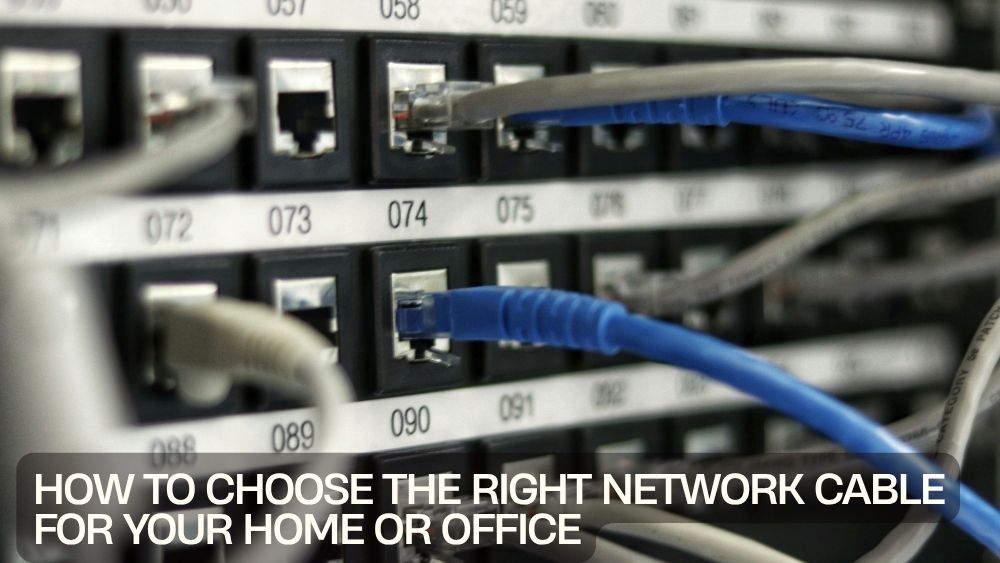
A fast and reliable internet connection starts with more than just your internet service provider. The quality of your network cable plays a major role in determining connection speed, stability, and overall network performance. Whether you're setting up a home office, building a gaming station, connecting smart devices, or creating a business network, choosing the right Ethernet cable can make a noticeable difference.
While Wi-Fi technology continues to improve, wired connections remain the preferred choice for users who demand consistent performance. A high-quality LAN cable provides lower latency, faster data transfer, better security, and fewer interruptions compared to wireless connections. From streaming ultra-high-definition content to handling cloud backups and video conferencing, the right cable ensures your network performs at its best.
Today's market offers several options, including Cat5e cable, Cat6 Ethernet cable, Cat7 network cable, and Cat8 Ethernet cable. Each category supports different speeds, frequencies, and installation requirements. Understanding these differences helps you select the most suitable solution without overspending on features you may not need.
If you're searching for dependable networking solutions, browse the complete collection of network cables featuring premium Ethernet cables designed for home users, gamers, professionals, and businesses.
Why Choosing the Right Network Cable Matters
Many people invest in high-speed internet plans but continue using outdated cables that limit network performance. Even the fastest internet connection cannot reach its full potential if your cabling becomes the bottleneck.
A quality high-speed network cable provides several important advantages:
- Faster file transfers
- Stable internet connectivity
- Lower latency for gaming
- Better streaming quality
- Reliable video conferencing
- Stronger Power over Ethernet (PoE) support
- Long-term durability
Whether you're connecting a desktop computer, gaming console, smart TV, network-attached storage (NAS), printer, or wireless router, selecting the proper internet cable ensures every device communicates efficiently.
Understanding Ethernet Cable Categories
One of the biggest sources of confusion when shopping for a network cable is understanding the various cable categories.
Each category offers different speed capabilities, bandwidth, shielding, and future-proofing.
Cat5e Cable
The Cat5e cable remains one of the most widely used Ethernet standards for residential networking.
Typical features include:
- Speeds up to 1 Gbps
- Bandwidth up to 100 MHz
- Affordable pricing
- Suitable for everyday home use
- Compatible with most routers and switches
Cat5e works well for:
- Web browsing
- Video streaming
- Smart home devices
- Online classes
- Basic office networking
Although reliable, Cat5e may become limiting as internet speeds continue increasing.
Cat6 Ethernet Cable
The Cat6 Ethernet cable has become the preferred option for modern homes and offices.
Benefits include:
- Speeds up to 10 Gbps (short distances)
- 250 MHz bandwidth
- Reduced signal interference
- Better internal insulation
- Improved performance for multiple connected devices
Cat6 cables are ideal for:
- Gaming setups
- Video editing workstations
- Remote work
- Home servers
- High-speed broadband
- Smart home installations
For dependable everyday networking, consider the Black Slim Cat6 Ethernet Cable, which combines flexibility, durability, and excellent performance while fitting neatly into organized workspaces.

Cat6a Ethernet Cable
The upgraded Cat6a standard offers enhanced performance for demanding environments.
Advantages include:
- Full 10 Gbps speeds over longer distances
- 500 MHz bandwidth
- Better shielding
- Lower electromagnetic interference
- Excellent PoE compatibility
Cat6a is commonly used in:
- Corporate offices
- Professional workstations
- Server rooms
- Business networking
- Commercial installations
Premium options like the Black Cat6a Ethernet Cable deliver exceptional reliability with shielded construction for demanding applications.

If color-coded cable management is important, the Gray Cat6a Ethernet Cable and Purple Cat6a Ethernet Cable are excellent choices for organized installations.

Cat7 Network Cable
A Cat7 network cable provides even greater shielding and higher bandwidth than Cat6a.
It is commonly used in:
- Data centers
- Enterprise environments
- Industrial networking
- Professional AV systems
Benefits include:
- Excellent noise protection
- Higher frequencies
- Improved stability
- Superior signal quality
For most residential users, however, Cat6 or Cat6a offers excellent value without the additional expense.
Cat8 Ethernet Cable
The newest Cat8 Ethernet cable is built for extremely high-performance networking.
It supports:
- Up to 40 Gbps
- Very high bandwidth
- Short-distance ultra-fast connections
- Advanced data center applications
Cat8 is generally recommended for enterprise servers rather than standard household networking.
Wired Connections vs Wi-Fi
Wireless technology is convenient, but wired networking still delivers unmatched reliability.
A wired LAN cable connection offers:
- Lower latency
- More stable speeds
- Better online gaming performance
- Improved security
- Reduced packet loss
- Consistent video conferencing quality
Businesses, gamers, and professionals continue relying on Ethernet because reliability matters more than convenience.
How to Choose the Best Network Cable for Your Needs
Choosing the right network cable depends on more than just speed ratings. Your internet plan, connected devices, cable length, installation environment, and future networking goals all play important roles. Understanding these factors helps you invest in the right Ethernet cable without paying for unnecessary features.
Consider Your Internet Speed
One of the first things to evaluate is your internet service.
For example:
- Up to 100 Mbps: Cat5e is sufficient
- 300 Mbps to 1 Gbps: Cat6 is recommended
- Multi-Gig Internet (2–10 Gbps): Cat6a offers better long-term value
- Enterprise or Data Centers: Cat7 or Cat8 may be appropriate
Buying an advanced cable won't increase internet speeds beyond what your ISP provides, but it ensures your internal network won't become a bottleneck.
Think About Cable Length
Longer cables naturally experience greater signal loss.
General recommendations include:
- Short desktop connections: Cat6
- Room-to-room installations: Cat6a
- Office infrastructure: Shielded Cat6a
- Server rooms: Cat6a or Cat7
Always measure your required cable length before purchasing to avoid excess cable clutter while ensuring flexibility for installation.
Shielded vs Unshielded Ethernet Cables
Another important consideration is cable shielding.
Unshielded Twisted Pair (UTP)
UTP cables are ideal for:
- Homes
- Apartments
- Small offices
- Gaming rooms
Advantages include:
- Affordable
- Lightweight
- Flexible
- Easy to install
Most homeowners find UTP cables perfectly adequate.
Shielded Twisted Pair (STP)
Shielded cables provide additional protection against electromagnetic interference.
They're recommended for:
- Industrial buildings
- Medical facilities
- Factories
- Commercial offices
- Areas with heavy electrical equipment
Premium options like the Black Cat6a Ethernet Cable offer excellent shielding, making them ideal for demanding networking environments.
Choose Pure Copper Instead of Copper-Clad Aluminum
When comparing networking accessories, always check the conductor material.
Pure bare copper cables provide:
- Better conductivity
- Improved PoE performance
- Lower resistance
- Longer lifespan
- More reliable network speeds
Avoid low-cost copper-clad aluminum (CCA) cables whenever possible, especially for permanent installations.
Power over Ethernet (PoE) Compatibility
Modern networks increasingly rely on Power over Ethernet technology.
PoE allows one cable to deliver both:
- Electrical power
- Network data
Common PoE devices include:
- Security cameras
- Wireless access points
- VoIP phones
- Smart lighting
- Network switches
If you're planning smart home upgrades or office expansion, choose high-speed network cables that support PoE.
Slim vs Standard Ethernet Cables
Both cable styles have their advantages.
Slim Ethernet Cables
Benefits include:
- Easier cable management
- Improved airflow behind equipment
- Flexible routing
- Cleaner installations
For compact setups, the Yellow Slim Cat6 Ethernet Cable is an excellent choice for organized desks, entertainment centers, and home offices.

The Black Slim Cat6 Ethernet Cable also delivers dependable performance while minimizing cable bulk.
Standard Ethernet Cables
Traditional Ethernet cables remain ideal for:
- Permanent installations
- Heavy network traffic
- Commercial environments
- Long cable runs
They typically feature thicker insulation for added durability.
Choosing a Network Cable for Home Use
Most households require dependable performance for multiple connected devices.
Common devices include:
- Smart TVs
- Streaming boxes
- Gaming consoles
- Desktop PCs
- Laptops
- Smart home hubs
- Network storage
For these applications, a quality Cat6 Ethernet cable provides an excellent balance of affordability, speed, and future-proofing.
Best Network Cable for Home Offices
Remote work has increased the demand for reliable wired networking.
Professionals often rely on:
- Video meetings
- Cloud collaboration
- Large file transfers
- VPN access
- Online backups
Using a dependable network cable for office environments reduces lag, dropped calls, and inconsistent internet speeds.
Pair your Ethernet cable with a reliable TP-Link Router to create a fast, secure, and stable networking setup for work and home use.

Best Ethernet Cable for Gaming
Competitive gamers benefit significantly from wired connections.
Advantages include:
- Lower ping
- Stable latency
- Faster downloads
- Reduced packet loss
- Consistent multiplayer performance
A quality Cat6 Ethernet cable or Cat6a Ethernet cable offers the performance serious gamers expect.
Network Cables for Small Businesses
Businesses depend on stable networking every day.
Reliable wired network connections support:
- Shared printers
- File servers
- Cloud applications
- Security systems
- Video conferencing
- VoIP phones
Choosing premium networking accessories minimizes downtime and supports future business growth.
Common Mistakes When Buying Network Cables
Avoid these common purchasing errors:
Buying Based Only on Price
Cheap cables often use lower-quality materials that reduce speed and durability.
Ignoring Cable Certification
Look for cables that are tested and verified to ensure dependable performance.
Choosing the Wrong Category
Avoid buying Cat8 for basic home internet if Cat6 already meets your needs.
Overlooking Cable Length
Using cables that are far longer than necessary can create clutter and make cable management more difficult.
Forgetting Future Expansion
Choosing Cat6a instead of Cat5e today may save money on future upgrades.
Installation Tips, Maintenance, and Final Thoughts
Installing your network cable correctly is just as important as selecting the right category. Even the highest-quality Ethernet cable can underperform if it is bent too sharply, exposed to interference, or improperly connected. Following a few best practices ensures your wired network delivers maximum speed, stability, and longevity.
Tips for Installing Network Cables
Proper installation helps maintain signal integrity and extends the life of your LAN cable.
Avoid Sharp Bends
Ethernet cables contain twisted wire pairs that help reduce interference. Excessive bending can damage these internal wires and affect performance.
Instead:
- Use gentle curves
- Avoid tight cable loops
- Never pinch cables behind heavy furniture
Keep Distance from Electrical Wiring
Running your internet cable alongside power cables can introduce electromagnetic interference.
Whenever possible:
- Separate Ethernet and electrical cables
- Cross power lines at a 90-degree angle
- Use shielded cables in high-interference environments
These simple precautions help maintain a stable wired network connection.
Protect Cable Connectors
The RJ45 connector is one of the most vulnerable parts of any network cable.
Look for cables with:
- Snagless connectors
- Strain relief boots
- Reinforced locking clips
These features reduce wear during installation and repeated unplugging.
Organize Your Network Setup
A clean workspace makes maintenance much easier.
Helpful cable management tools include:
- Cable sleeves
- Velcro straps
- Cable labels
- Raceway channels
- Desk cable trays
Color-coded cables, such as the Gray Cat6a Ethernet Cable or Purple Cat6a Ethernet Cable, also simplify identifying different network connections in larger installations.

Maintaining Your Ethernet Cables
Quality networking accessories require very little maintenance, but regular inspections help maximize performance.
Inspect Connectors
Periodically check for:
- Broken locking tabs
- Bent pins
- Loose connectors
- Dust buildup
Damaged connectors should be replaced promptly to avoid intermittent connectivity.
Avoid Excessive Tension
Never pull an Ethernet cable by the connector.
Instead:
- Grip the plug firmly
- Avoid stretching cables
- Leave slight slack behind equipment
This prevents unnecessary strain on the internal wiring.
Keep Cables Clean
Dust and debris can interfere with reliable connections.
Clean connectors occasionally using:
- Dry microfiber cloth
- Compressed air
- Electronic-safe cleaning tools
Avoid moisture or harsh chemicals.
Signs It's Time to Upgrade Your Network Cable
Technology evolves quickly, and older cables may not support today's networking demands.
Consider upgrading if you notice:
- Slower-than-expected internet speeds
- Frequent disconnects
- High gaming latency
- Network instability
- Damaged insulation
- Broken RJ45 connectors
Replacing an outdated Cat5e cable with a modern Cat6 Ethernet cable or Cat6a Ethernet cable often improves overall network reliability, especially when paired with gigabit or multi-gig internet services.
Building a Future-Proof Home or Office Network
A future-ready network isn't just about faster internet. It's about supporting more connected devices, higher bandwidth applications, and evolving technology.
Modern households commonly connect:
- Smart TVs
- Gaming consoles
- Desktop computers
- Laptops
- NAS storage devices
- Security cameras
- Smart speakers
- Streaming devices
- Wi-Fi access points
Investing in premium high-speed network cables today helps your setup adapt to tomorrow's technology without requiring frequent replacements.
Pair your cables with a dependable TP-Link Router to create a reliable, high-performance network for work, entertainment, online learning, and smart home devices.
Why Premium Network Cables Are Worth the Investment
While budget cables may seem appealing, premium Ethernet cables provide significant long-term value.
Benefits include:
- Faster and more consistent speeds
- Improved durability
- Better shielding against interference
- Reliable Power over Ethernet (PoE) support
- Stronger connectors with strain relief
- Longer service life
- Enhanced compatibility with modern networking equipment
Whether you're upgrading a home office, building a gaming setup, or installing business infrastructure, quality networking accessories help reduce downtime and improve overall performance.
Final Thoughts
Choosing the right network cable is one of the simplest ways to improve your internet experience. From selecting the appropriate Cat5e cable, Cat6 Ethernet cable, Cat7 network cable, or Cat8 Ethernet cable to understanding shielding, cable length, and installation best practices, every decision contributes to a faster and more dependable network.
For most homes and offices, a premium Cat6 Ethernet cable offers the ideal balance of speed, affordability, and future-proof performance. Businesses and advanced users may benefit from Cat6a or higher categories for demanding networking environments.
Explore the complete range of network cables to find high-quality solutions for every networking need. Whether you're upgrading your home workspace, improving office connectivity, or building a high-speed entertainment system, reliable Ethernet cables provide the stable foundation every modern network deserves.